Assistant Library gives doctors full control over their clinical AI workflows — browse available templates, activate the ones they need, and manage them without admin help. Hospitals using MediTech can now import appointment lists directly into MedWrite. A new Custom Workflow Steps feature allows clinics to tailor documentation flows to their specific procedures.
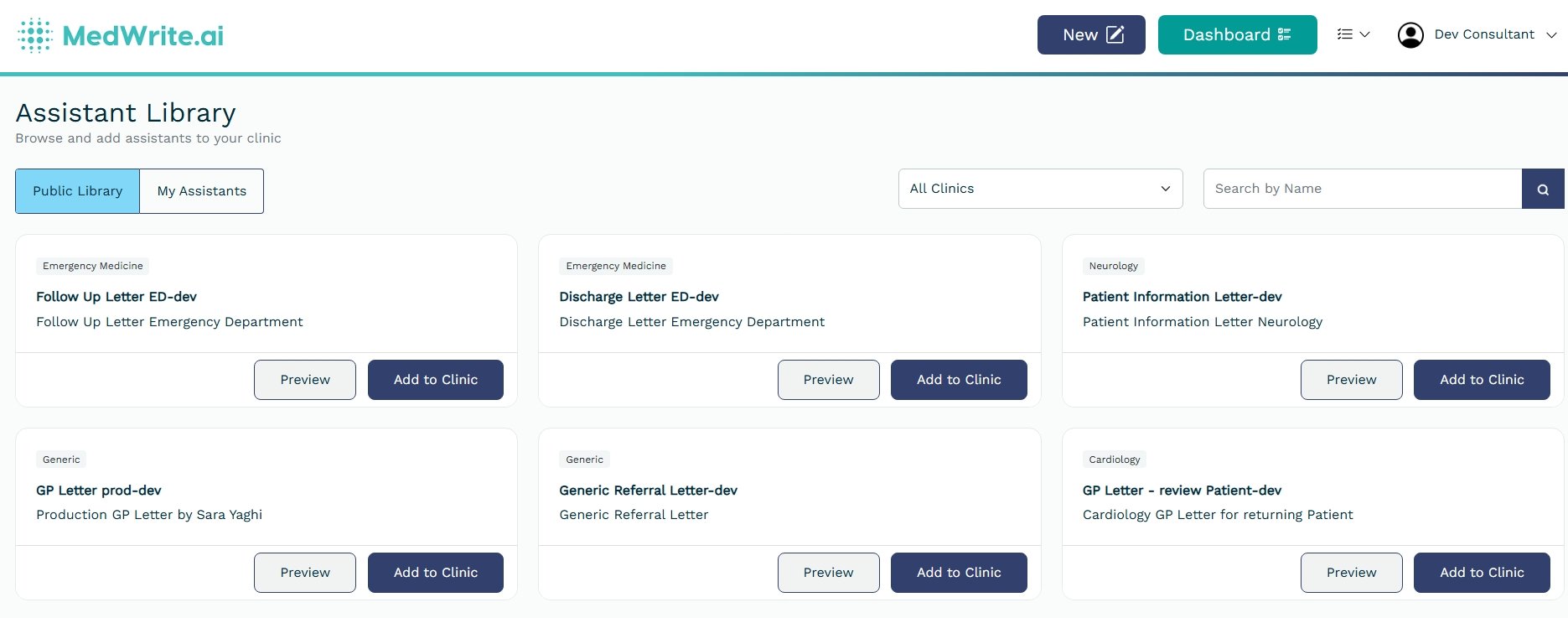
Doctors can now manage their own clinical AI workflows from a self-service library. Browse available assistant templates, activate the ones relevant to your specialty, and customise settings — all without waiting for an administrator. Role-based limits keep the system organised as your team scales.
Browse and activate AI assistants from the Assistant Library
2
MediTech Appointment Import
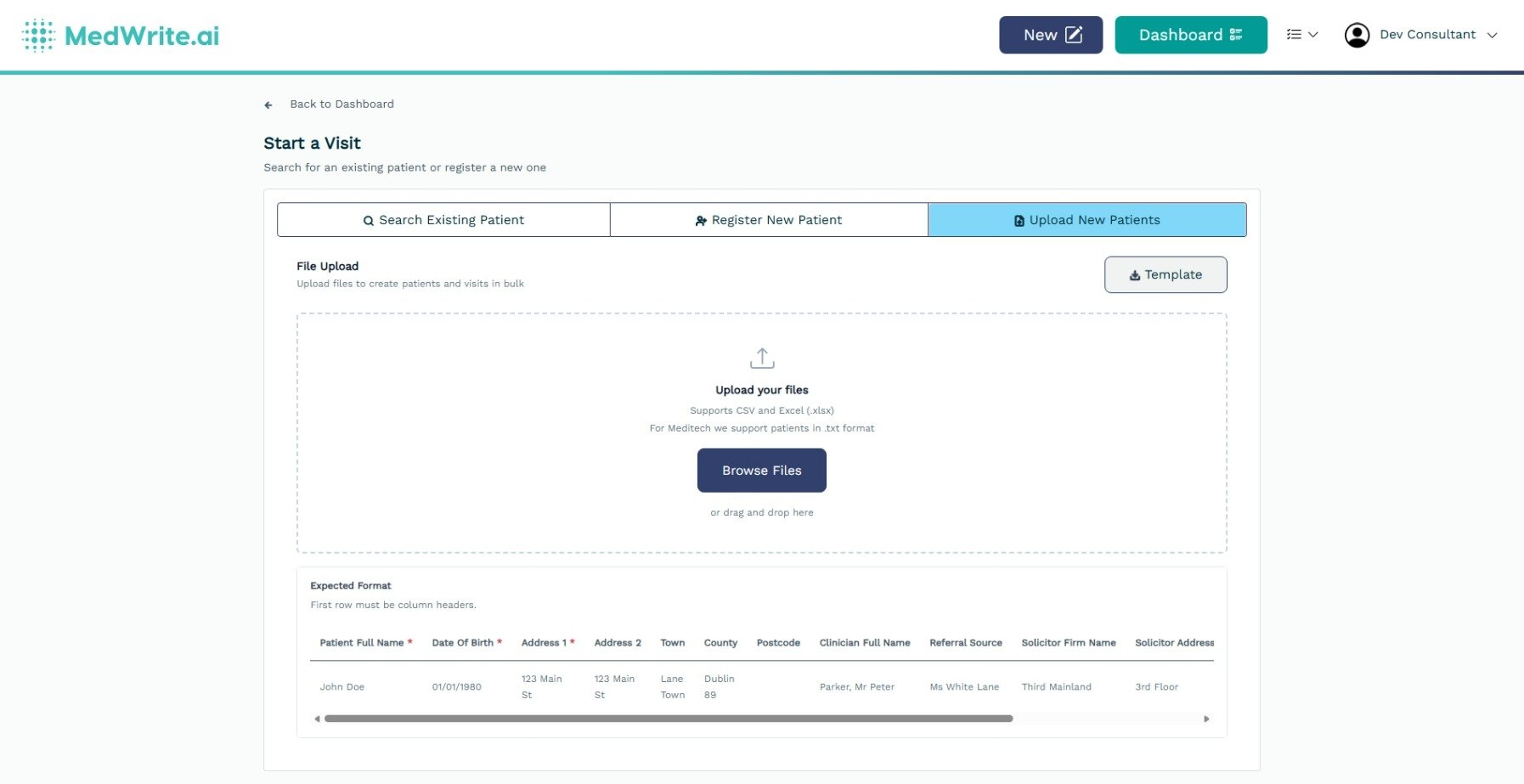
Hospitals running MediTech can now export patient appointment lists and upload them into MedWrite. Scheduled visits are pre-populated automatically, removing manual data entry during clinic setup.
Import MediTech appointment lists into MedWrite
3
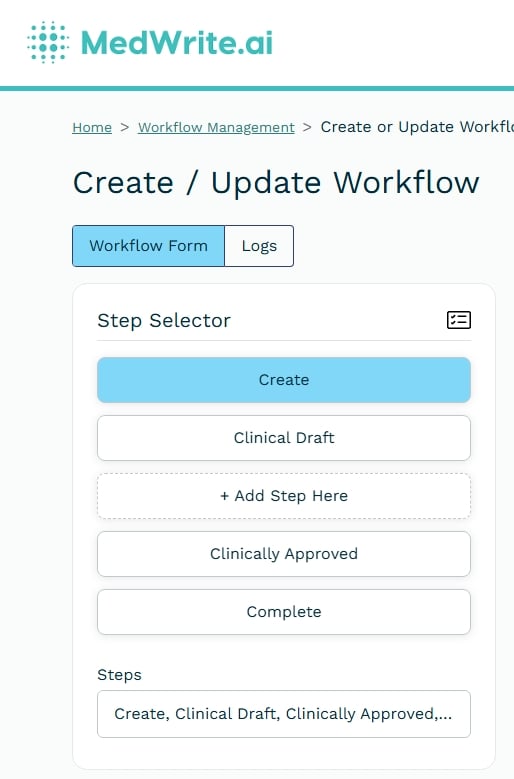
Custom Workflow Steps
Add extra steps to your clinical documentation workflows. Tailor the sequence to match how your specialty or department actually works — no more forcing every clinic through the same fixed process.
Users can now switch between streaming transcription and shorthand mode at the individual level. Choose the recording style that best suits your workflow. The system defaults to your organisation’s setting until you select your own preference.
Recording Reliability
Multiple improvements have been made to recording session stability, including better connection handling, smoother error recovery, and fixes for edge cases that could interrupt active recording sessions.