
1
Approve on the letter page
After you review the letter on the letter page, use Clinically approve to mark it as approved.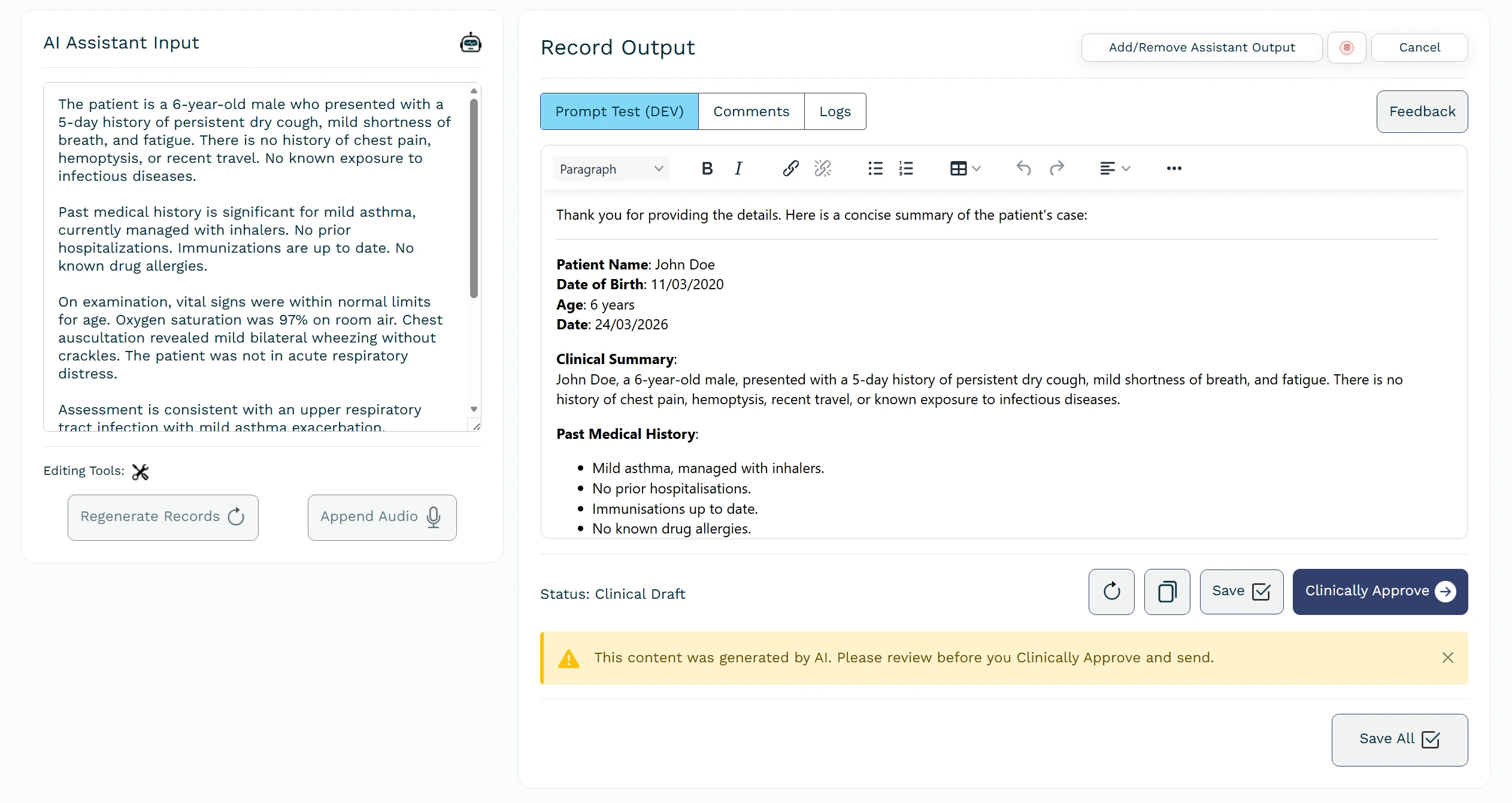
Review the letter content before approving. Only approve when it is correct and ready to send.
Letter page with Clinically approve button.
After clinical approval of the assistant’s output, you can export the generated content as a PDF or Word document.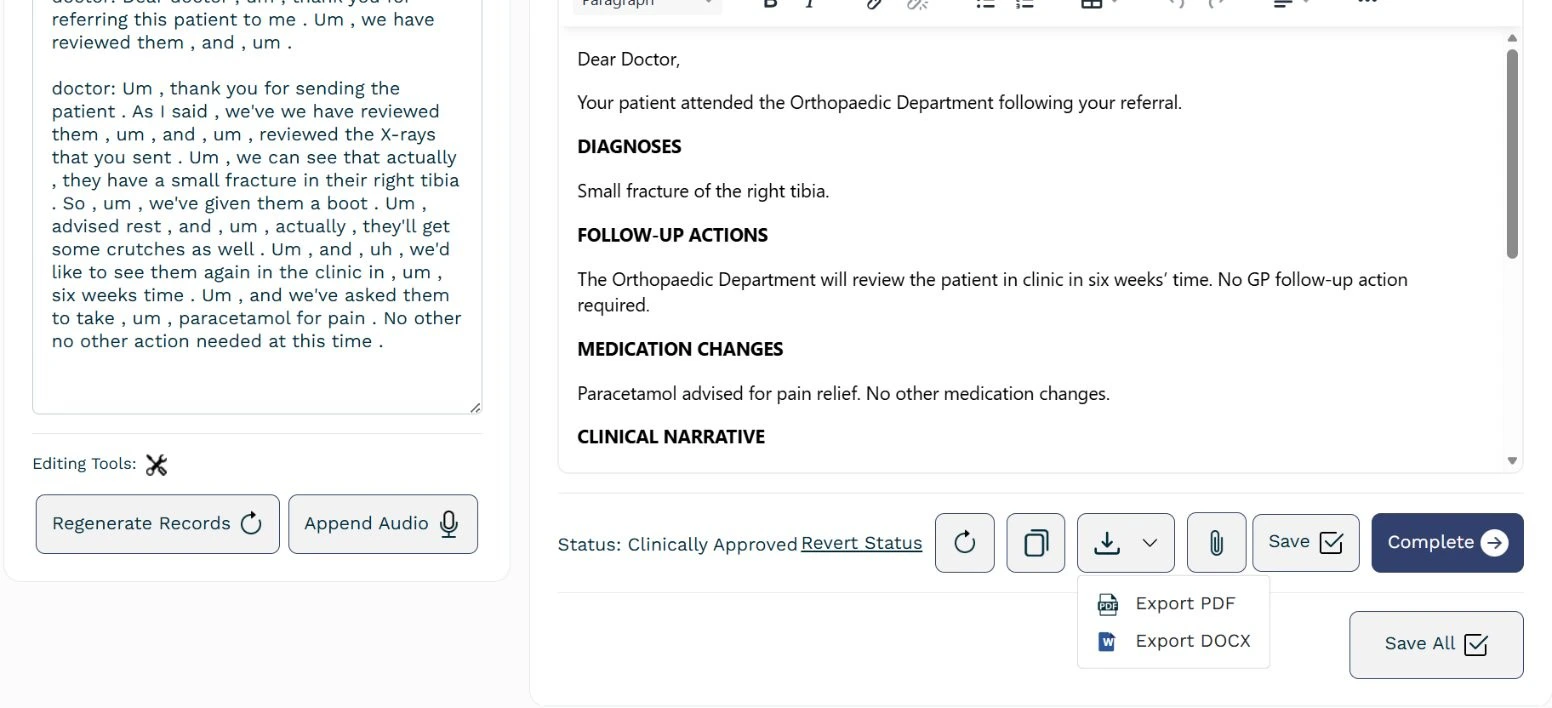
From the list you can export as PDF or Word or send by email.
PDF and Word export options.
2
Use approved letters
Approved letters appear in a dedicated area on the dashboard. From there you can export them as PDF or Word or send them by email.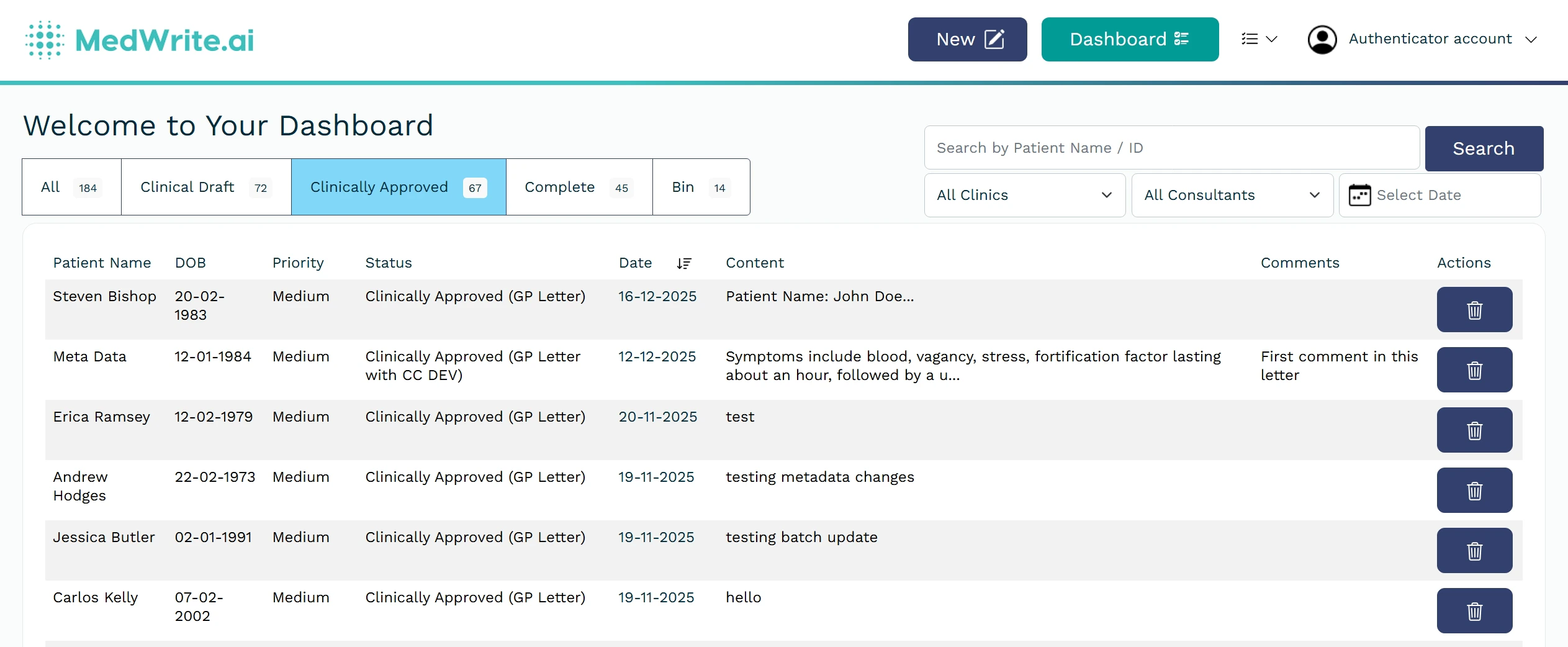
Open the Clinically approved tab on the dashboard to see your approved letters
Clinically approved tab on the dashboard with approved letters listed.
Next steps
Mark as Complete
Mark a record or letter as complete when you have finished with it.
Send Email
Send approved letters by email from the dashboard.