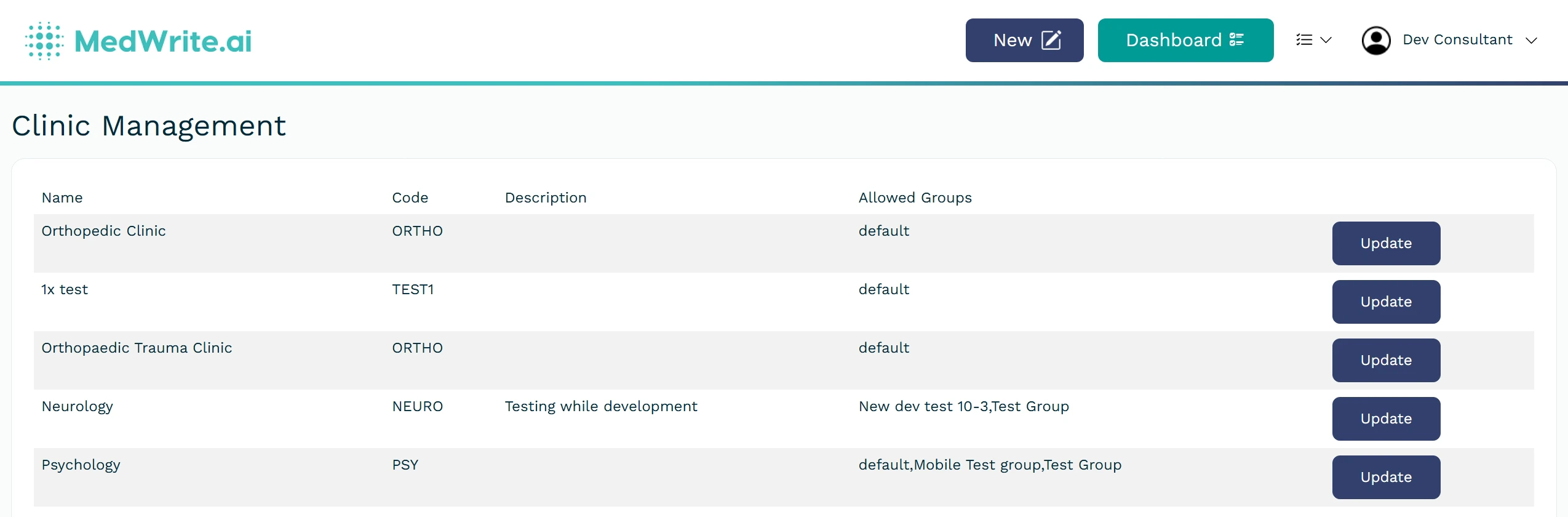
Add a clinic so your team can create records and letters under that clinic. Each clinic can have its own settings and templates.
Clinics are used to separate different records into sections, and can be filtered from the dashboard.
The clinic dropdown from the dashboard
Clinics are also used to organise and seperate your workflows.
1
Add a new clinic
From the dropdown beside your username, choose Create Clinic. Enter the clinic name and any details your organisation requires (for example location or code), you can also add BCC Emails (optional).You will then assign the clinic to groups. Anyone who is a member of an assigned group will get access to the clinic
Create clinic form or organisation settings.
2
After the clinic is created
The new clinic appears in your organisation. You can assign users and consultants to it and start creating records for that clinic.
The “Clinic Code” is only used for certain configurations, like if you have the patient manager or Email add ons they are organised using the clinic code.