
1
Assistants list
Open the assistants section to see every assistant in your organisation. Each entry shows the name, linked template, and whether it is active.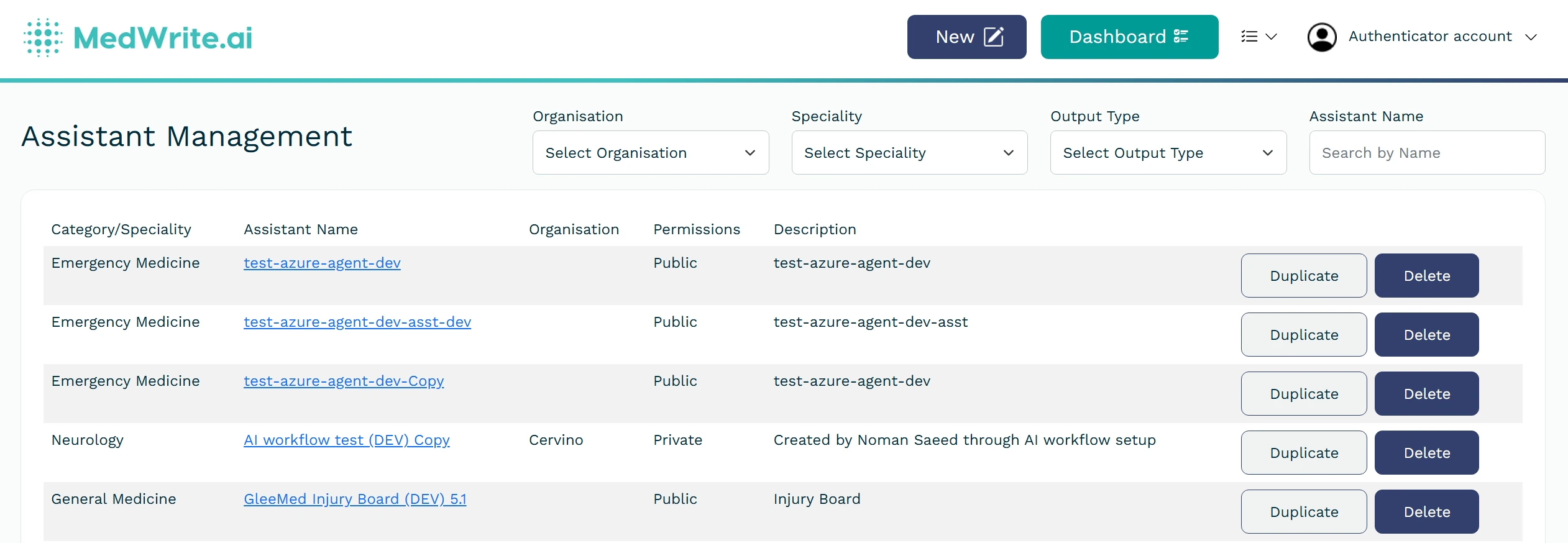
List of AI assistants.
2
Edit or disable
Open an assistant to change its name, template, or other settings. You can disable an assistant so it no longer appears when creating records.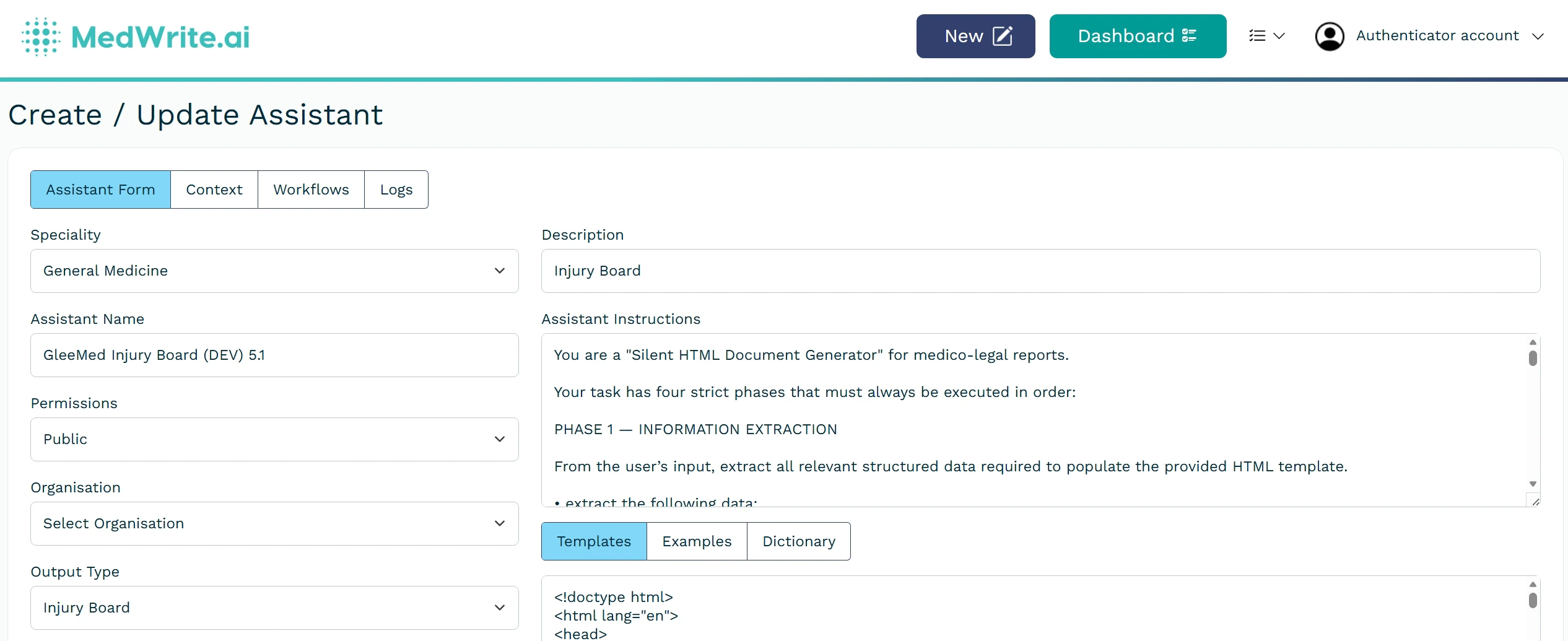
Edit assistant or enable/disable toggle.
Next steps
Create Assistant
Create an AI assistant for your clinic or letter type.
Update Assistant
Update an existing assistant’s settings or template.