
From the dropdown beside your name click on “patient Manager”
You will see 3 tabs, Search Existing Patient Register New Patient, and upload new patients.
Search Existing Patient
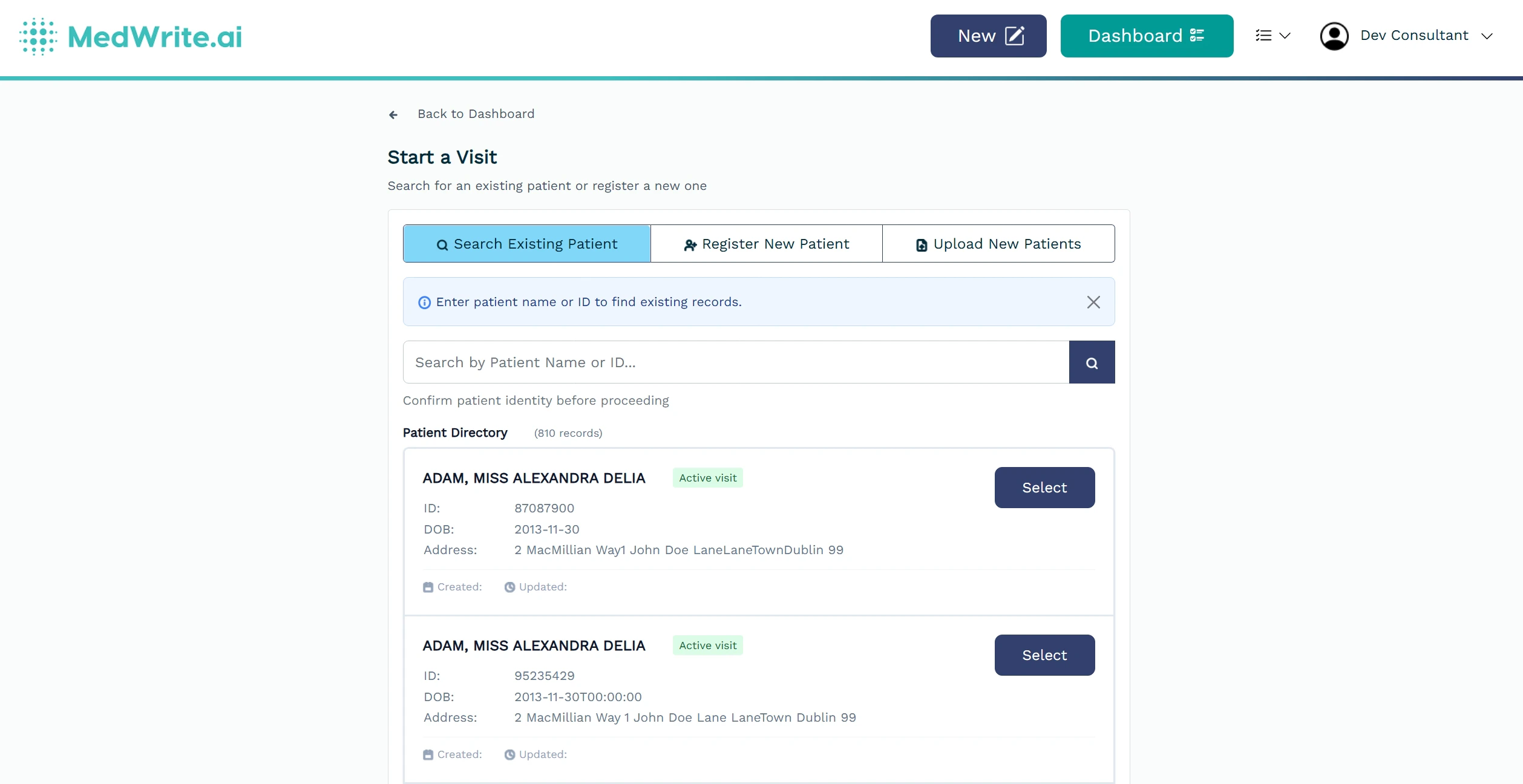
Patient list or search.

Visits are what makes patients available to specific Clinics.
Select a clinic and visit date to make this patient available to a clinic.
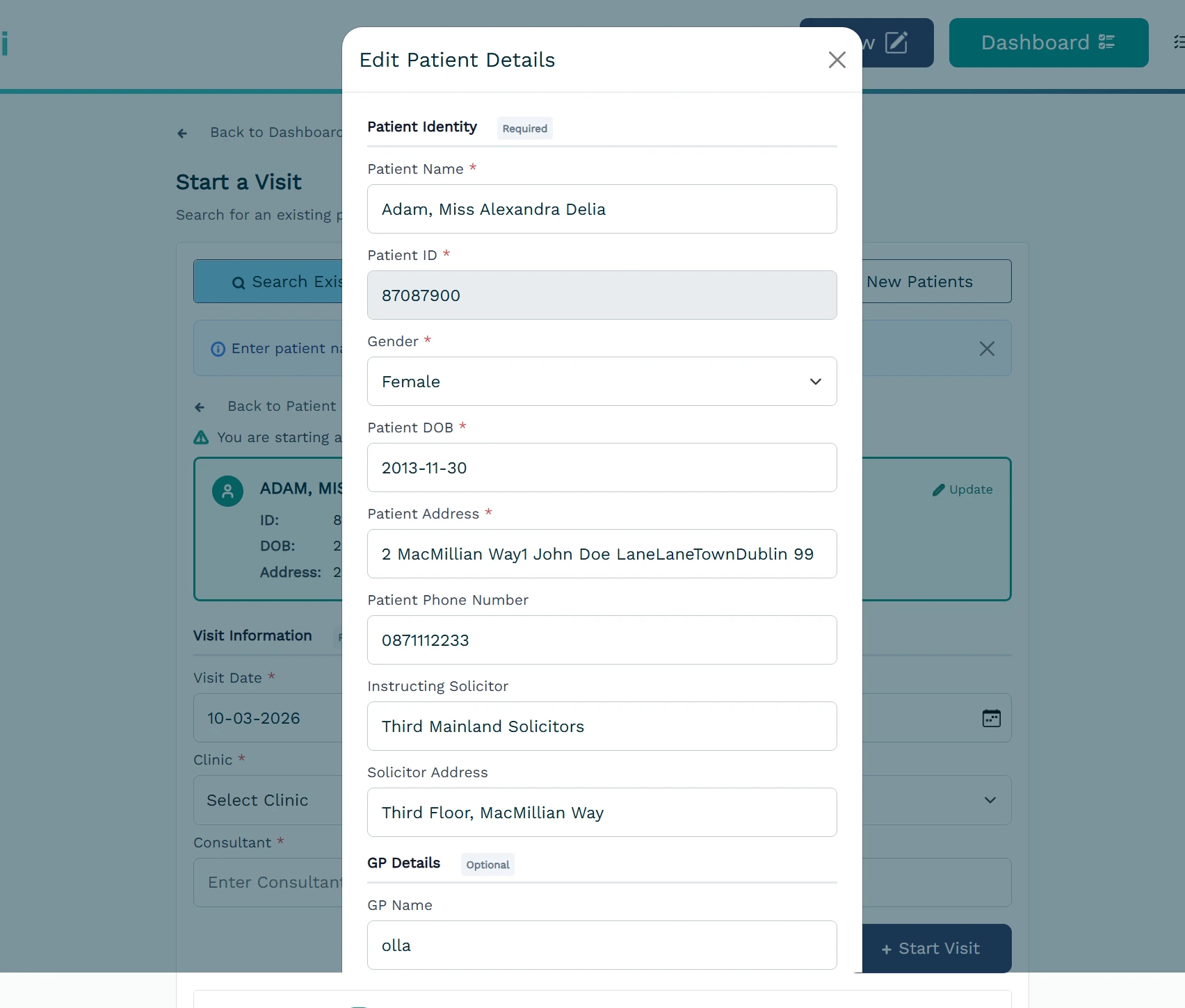
Patient detail view or edit form.
Register New Patient
There are 2 ways to Register New Patients*. One is manually by clicking the Register New Patient Tab, or by uploading a CSV containing the patient information. You can download an example of the CSV in the upload new patients tab.

Patient Upload.
*Not Including EHR Integrations
Next steps
Create Record
Create a new record for a patient.
Search Patient
Find a patient by name, ID, or other details.