Create a new AI Assistant workflow and get started straight away.
The users with Assistant Writers role can access the AI Workflow setup screen where they create a new assistant from scratch.
1
Open the Setup page
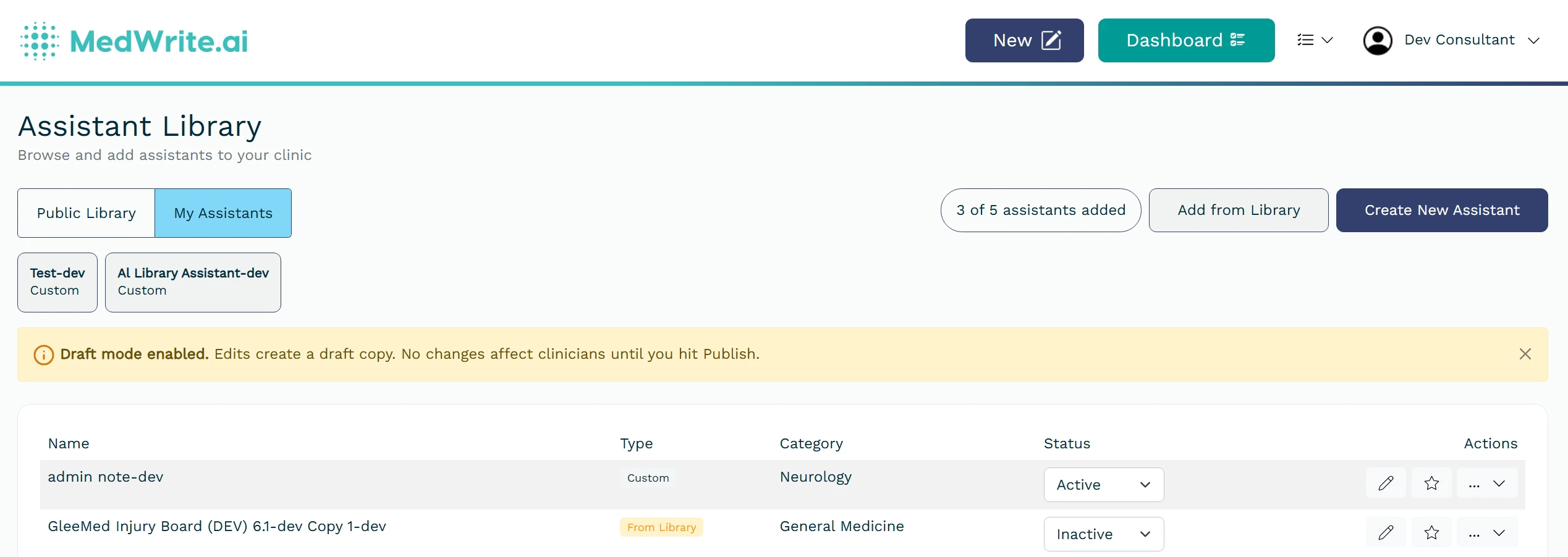
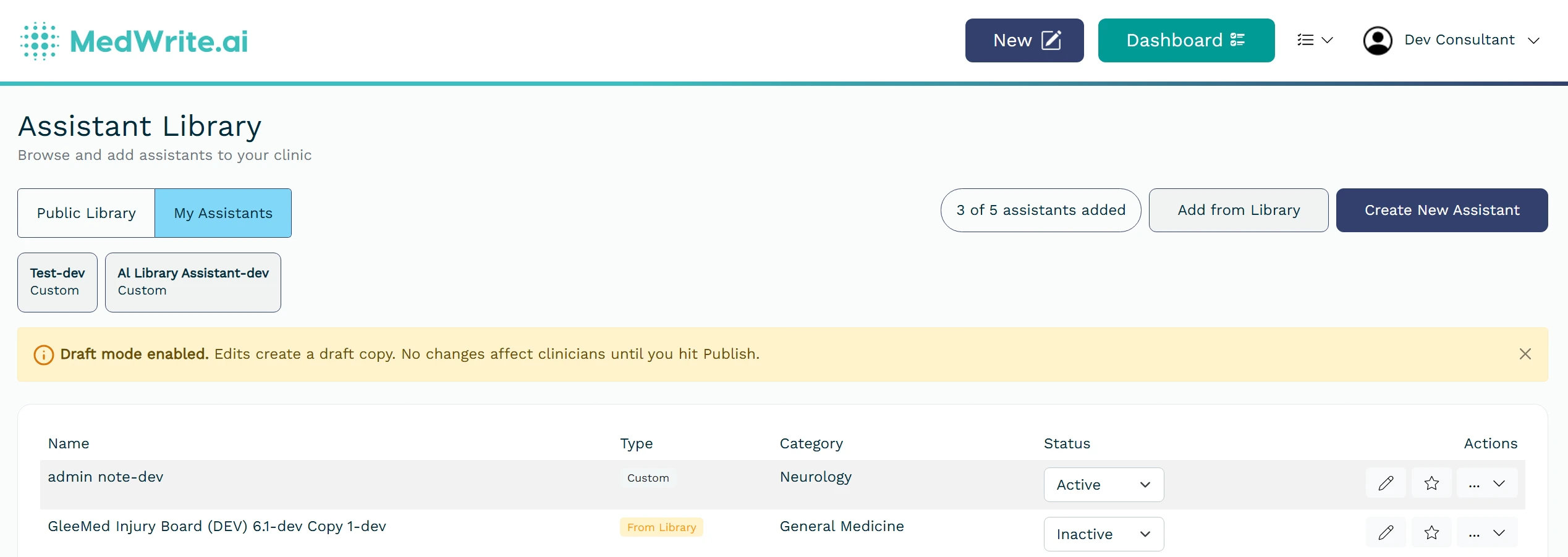
Open Assistant Library from the Assistants menu, go to My Assistants, then click Create New Assistant to open AI Workflow Setup.”
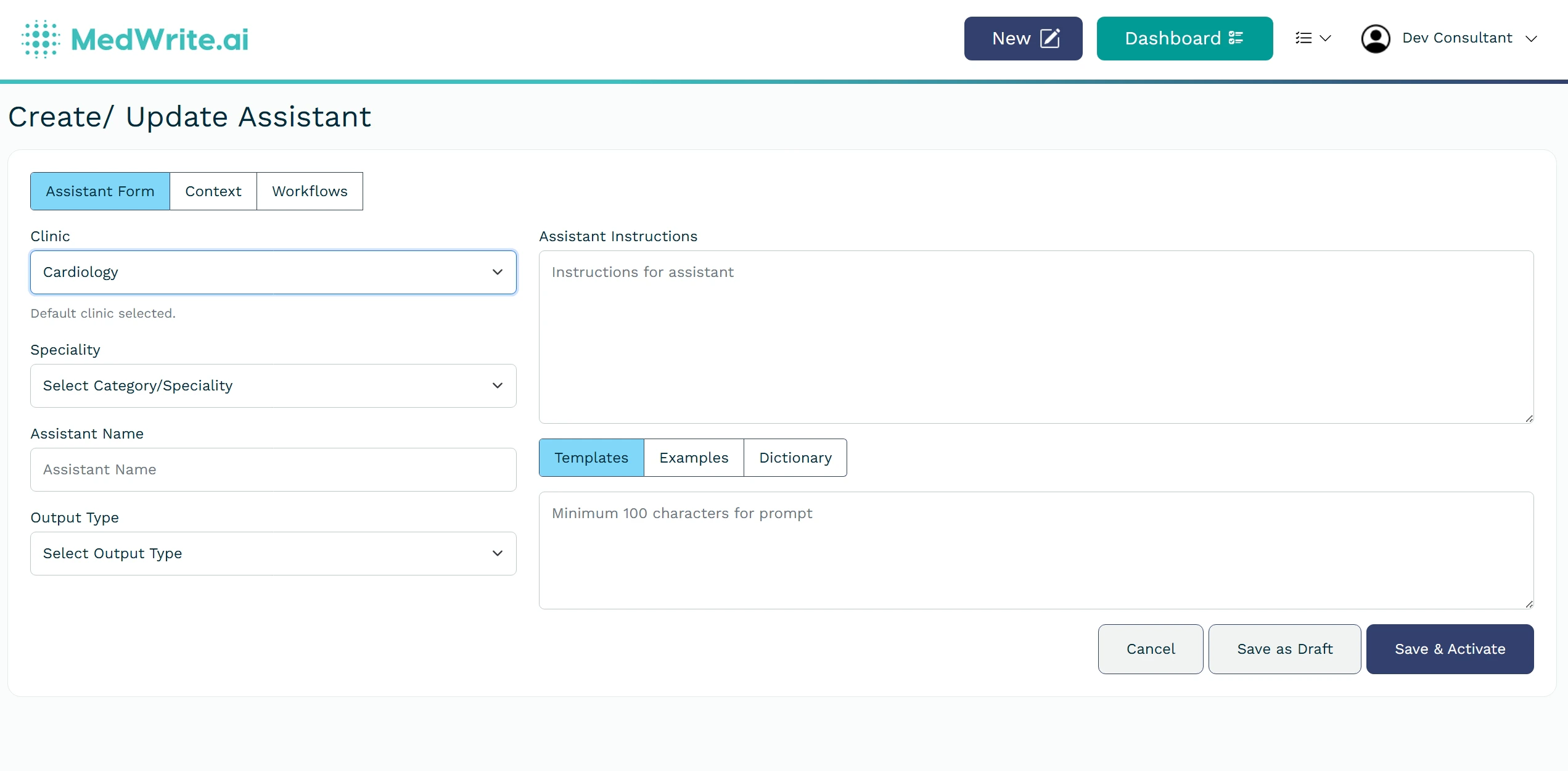
Assistant detail or edit screen.
2
Write your Instructions
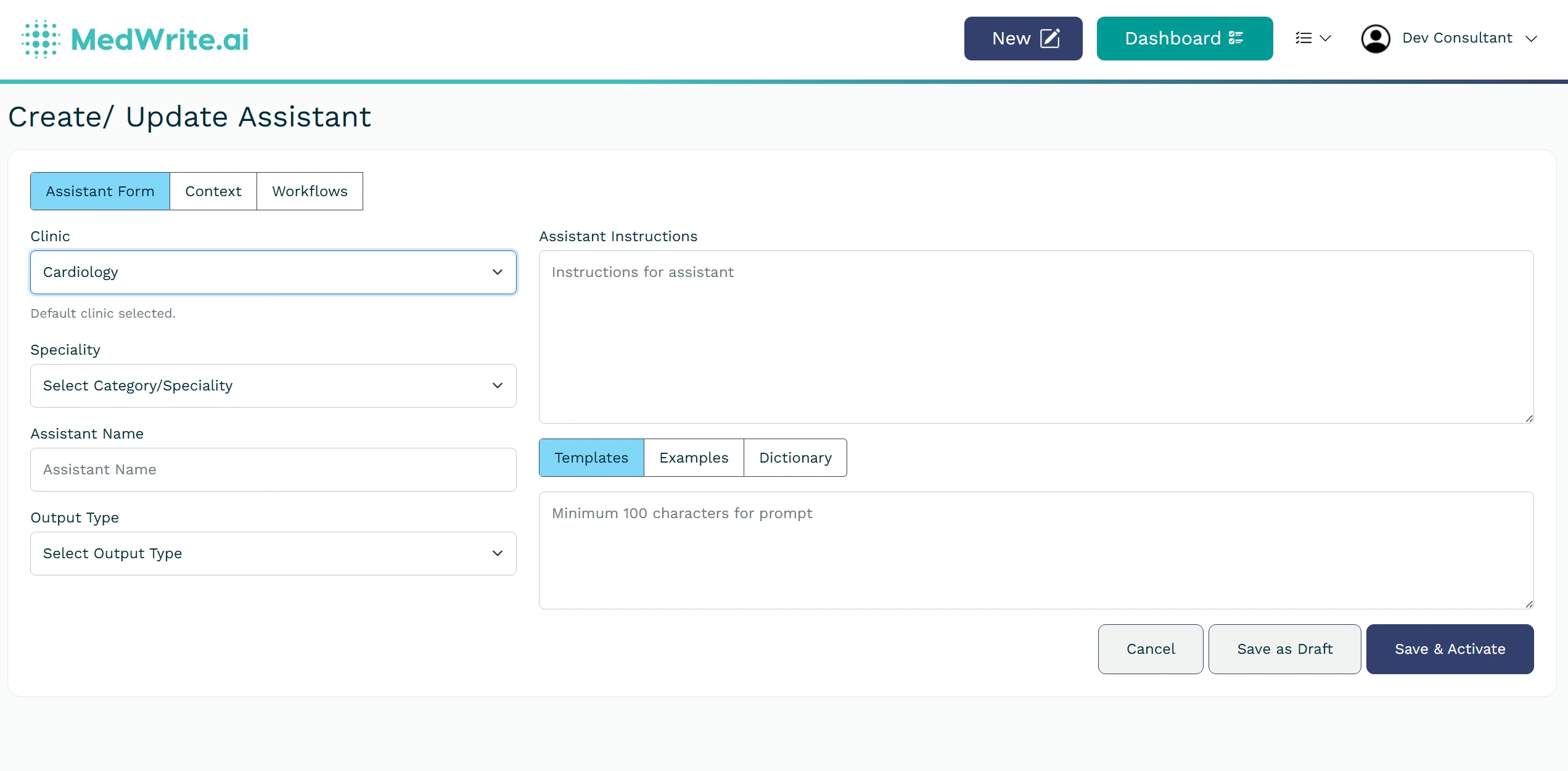
In Assistant Form, complete the required fields (for example Clinic, Speciality, Assistant Name, Output Type, and Instructions) and save the assistant. Then open the Context tab to upload a file (optional) for context search. Finally, open the Workflows tab and assign the workflow(s) for this assistant.