> ## Documentation Index
> Fetch the complete documentation index at: https://docs.medwrite.ai/llms.txt
> Use this file to discover all available pages before exploring further.

# Search Patient

> Find a patient by name, ID, or other details

Use search to find a patient quickly. You can then open their details, see their records, or start a new record for them.

<Steps>
  <Step title="Where to search">
    The search field is usually on the dashboard or in the patients area. Type the patient's name, ID, or another identifier to see matching results.
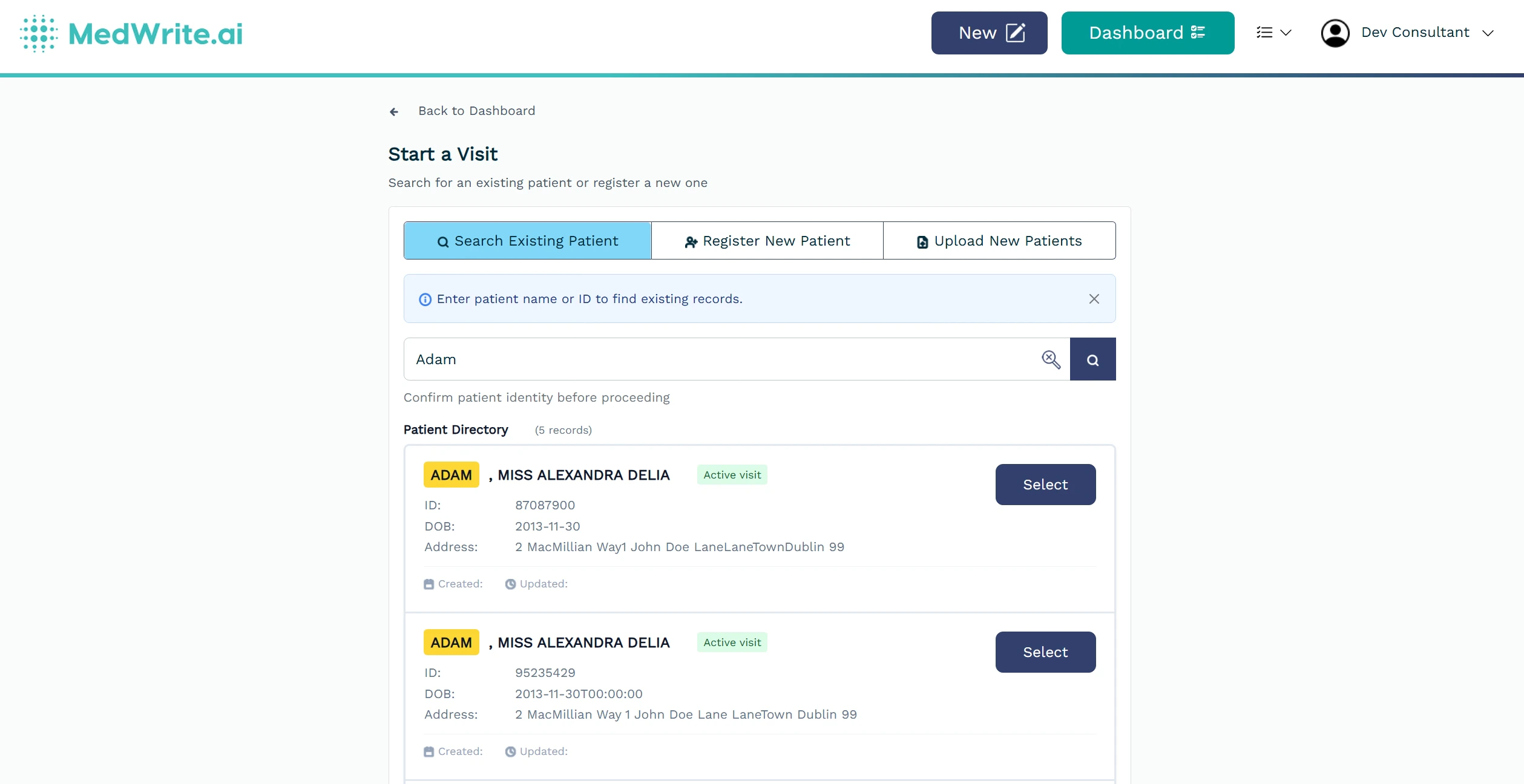
    <Frame hint="Use filters (e.g. clinic) if available to narrow results. Results update as you type." caption="Patient search field or search results.">
      <img src="https://mintcdn.com/medwriteai/R5Bs1ncwatpjoUpI/images/search-patient/patientSearch.jpeg?fit=max&auto=format&n=R5Bs1ncwatpjoUpI&q=85&s=e88fcf2c72f8f78025d734cc566cab09" alt="Patient search field or search results" style={{ borderRadius: '0.5rem', maxWidth: '100%' }} width="2518" height="1296" data-path="images/search-patient/patientSearch.jpeg" />
    </Frame>
  </Step>

  <Step title="After you find a patient">
    Select a result to open that patient. From there you can view or edit their details or create a new record for them.
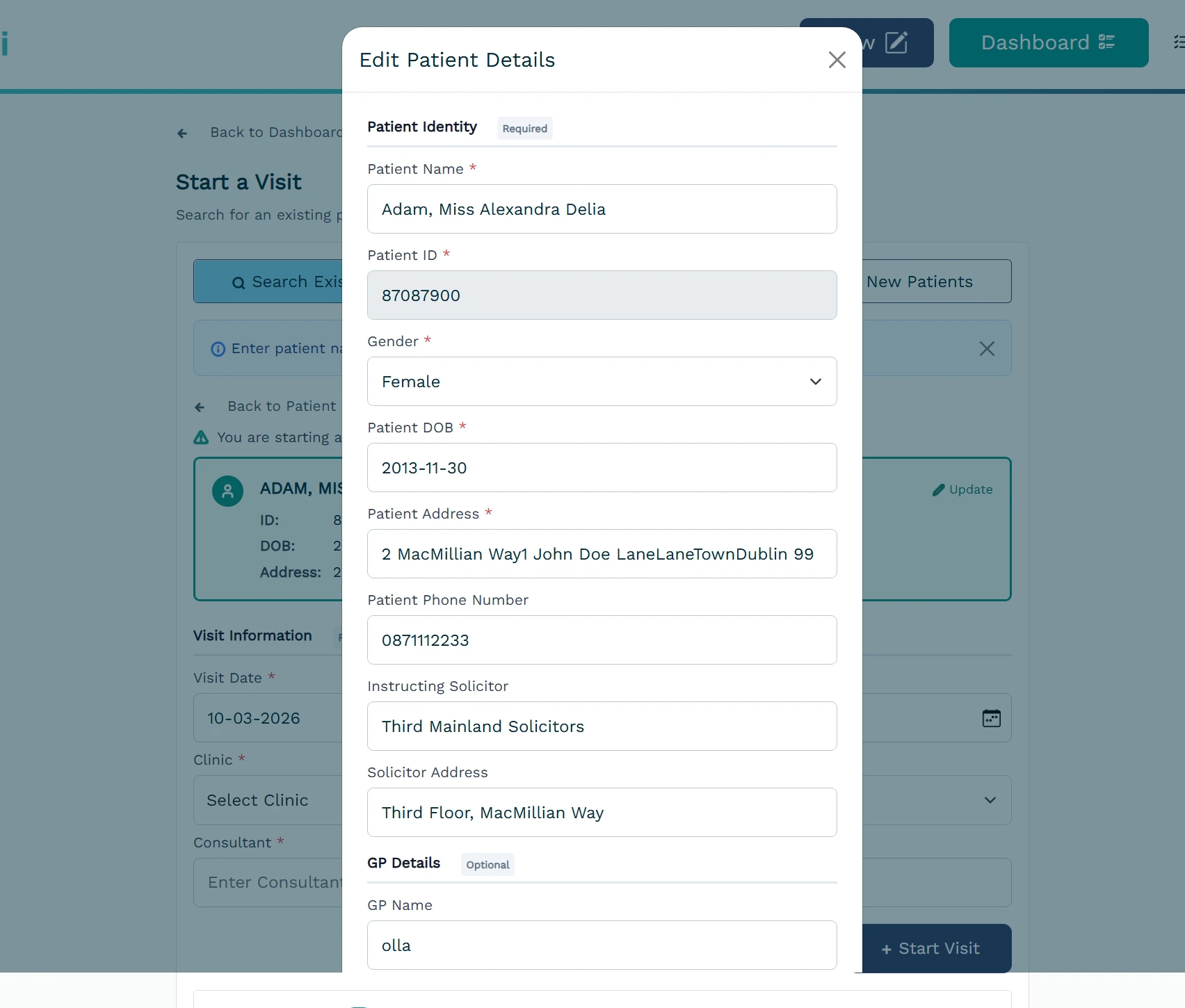
    <Frame hint="Click a result to open the patient. You can then edit details or start a new record for that patient." caption="Patient selected or patient detail view.">
      <img src="https://mintcdn.com/medwriteai/R5Bs1ncwatpjoUpI/images/search-patient/patientDetails.jpeg?fit=max&auto=format&n=R5Bs1ncwatpjoUpI&q=85&s=e03169dbb156d649e4483a5930fe978a" alt="Patient selected or patient detail view" style={{ borderRadius: '0.5rem', maxWidth: '100%' }} width="1704" height="1450" data-path="images/search-patient/patientDetails.jpeg" />
    </Frame>
  </Step>
</Steps>

## Next steps

<Columns cols={2}>
  <Card title="Manage Patients" icon="clipboard-list-check" href="/essentials/manage-patients">
    View and manage patient information.
  </Card>

  <Card title="Create Record" icon="file-plus" href="/essentials/create-record">
    Create a new record for a patient.
  </Card>
</Columns>
