> ## Documentation Index
> Fetch the complete documentation index at: https://docs.medwrite.ai/llms.txt
> Use this file to discover all available pages before exploring further.

# New Records

> Start a new record from the dashboard

The new records area is where you start creating a record. You can open it from the dashboard to begin a letter or consultation note.

<Steps>
  <Step title="Where to find it">
    On the dashboard, use **New** or the new record entry point. You are taken to the create letter screen where you add patient details and choose your assistant.
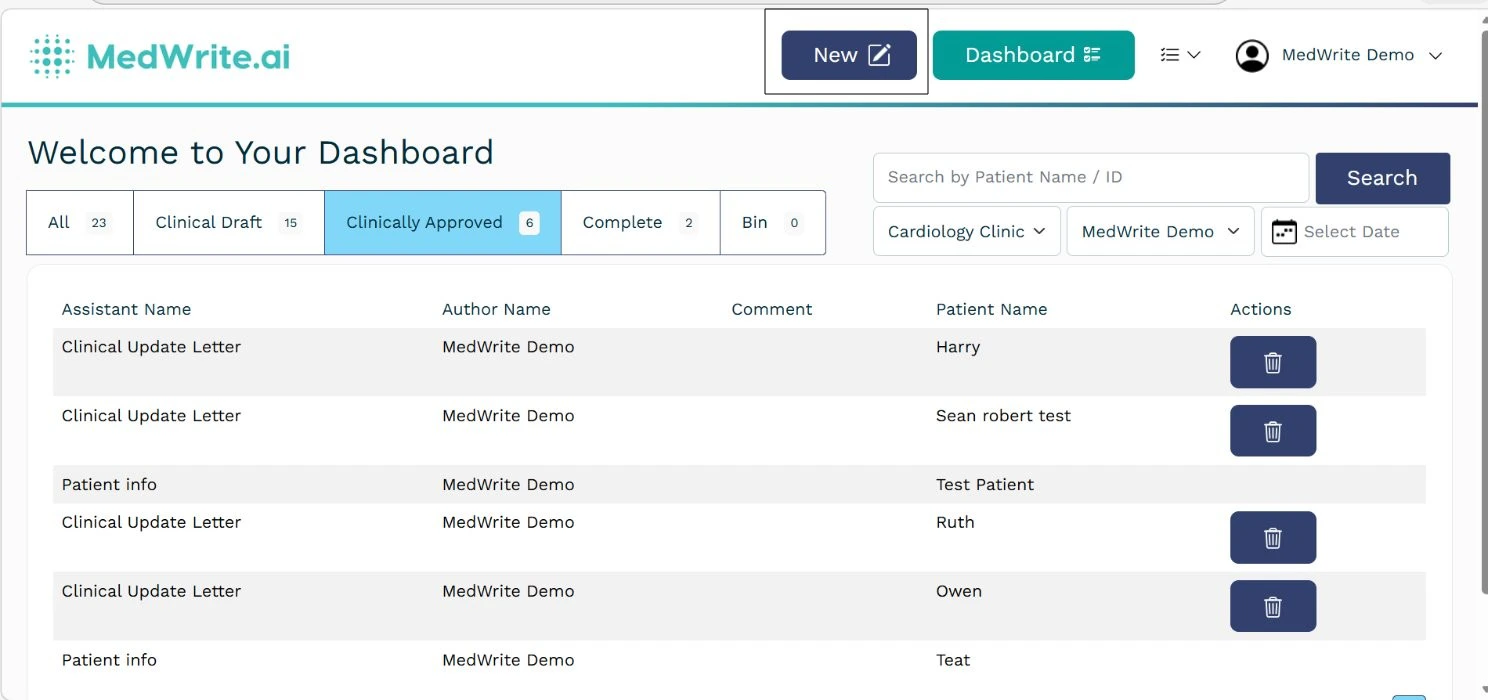
    <Frame caption="Dashboard with New or new record option.">
      <img src="https://mintcdn.com/medwriteai/pkwu_NMHKTzVXNda/images/new-record/dashboard.png?fit=max&auto=format&n=pkwu_NMHKTzVXNda&q=85&s=413e0b03277e2c0c5f2808a16fec0cf2" alt="Dashboard with New or new record option" style={{ borderRadius: '0.5rem', maxWidth: '100%' }} width="1488" height="700" data-path="images/new-record/dashboard.png" />
    </Frame>
  </Step>

  <Step title="After starting a new record">
    You complete patient details, choose record or manual input, and then review the letter on the letter page. See **Create Record** for the full flow.

    <Frame caption="Create letter or record in progress.">
      <img src="https://mintcdn.com/medwriteai/5wp1zTLvuLiTjDfk/images/Screenshot_5-5-2026_141550_dev.medwrite.ai-2.jpeg?fit=max&auto=format&n=5wp1zTLvuLiTjDfk&q=85&s=57b2684572204622528f60411273d37d" alt="Create letter or record in progress" style={{ borderRadius: '0.5rem', maxWidth: '100%' }} lightAlt="Create letter or record in progress" darkAlt="Create letter or record in progress" className="dark:hidden" width="2542" height="955" data-path="images/Screenshot_5-5-2026_141550_dev.medwrite.ai-2.jpeg" />

      <img src="https://mintcdn.com/medwriteai/5wp1zTLvuLiTjDfk/images/Screenshot_5-5-2026_141550_dev.medwrite.ai-3.jpeg?fit=max&auto=format&n=5wp1zTLvuLiTjDfk&q=85&s=091abb8814fc199c0e870df94428ddb0" alt="Create letter or record in progress" style={{ borderRadius: '0.5rem', maxWidth: '100%' }} lightAlt="Create letter or record in progress" darkAlt="Create letter or record in progress" className="hidden dark:block" width="2542" height="955" data-path="images/Screenshot_5-5-2026_141550_dev.medwrite.ai-3.jpeg" />
    </Frame>
  </Step>
</Steps>

## Next steps

<Columns cols={2}>
  <Card title="Create Record" icon="file-plus" href="/essentials/create-record">
    Create a new record and generate your letter.
  </Card>

  <Card title="Review Record" icon="file-check" href="/essentials/review-record">
    Review and clinically approve your letter.
  </Card>
</Columns>
