> ## Documentation Index
> Fetch the complete documentation index at: https://docs.medwrite.ai/llms.txt
> Use this file to discover all available pages before exploring further.

# Review Later

> Mark a record or letter for review later

Review later lets you flag a record or letter so you can come back to it. Use it when you do not have time to approve or edit right away but want to find it easily later.

<Steps>
  <Step title="Mark for later">
    When viewing a record or letter, use the **Review later** option (or similar). The item is added to your review-later list.
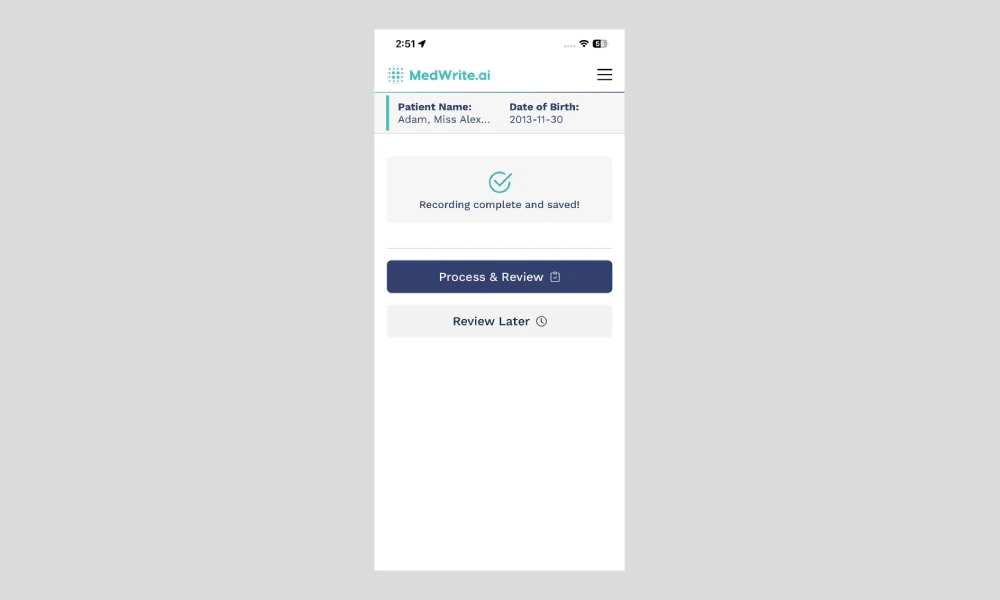
    <Frame hint="Look for a Review later button or menu option on the record or letter screen. After tapping, the item is saved to your review-later list." caption="Review later button or option.">
      <img src="https://mintcdn.com/medwriteai/pkwu_NMHKTzVXNda/images/review-later-mobile/mobileReviewLater.png?fit=max&auto=format&n=pkwu_NMHKTzVXNda&q=85&s=6ad305f74f9cedfa8af937f98e592633" alt="Review later button or option" style={{ borderRadius: '0.5rem', maxWidth: '100%' }} width="1000" height="600" data-path="images/review-later-mobile/mobileReviewLater.png" />
    </Frame>
  </Step>

  <Step title="Find items for review later">
    Open the review later list from the dashboard or app. You will see all records and letters you marked. Open one to review, edit, and approve when you have time.
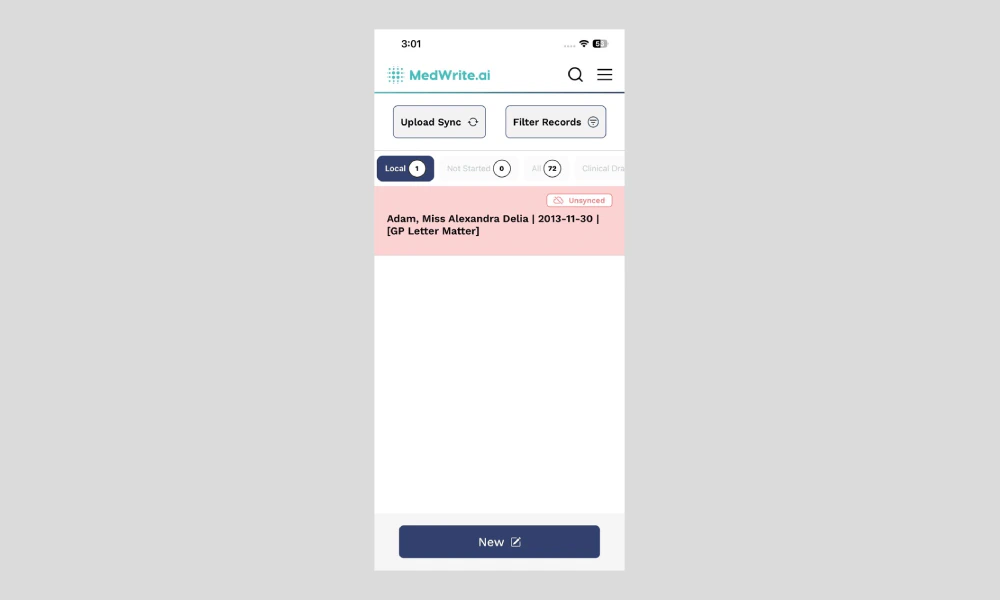
    <Frame hint="The list may appear under a Review later tab or in the main records view. Tap an item to open it and complete your review." caption="Review later list.">
      <img src="https://mintcdn.com/medwriteai/pkwu_NMHKTzVXNda/images/review-later-mobile/mobileReviewLaterDashboard.png?fit=max&auto=format&n=pkwu_NMHKTzVXNda&q=85&s=eadb55f5cac01aeef24f22ad5b9cc457" alt="Review later list" style={{ borderRadius: '0.5rem', maxWidth: '100%' }} width="1000" height="600" data-path="images/review-later-mobile/mobileReviewLaterDashboard.png" />
    </Frame>
  </Step>
</Steps>

## Next steps

<Columns cols={2}>
  <Card title="Review Records" icon="clipboard-list-check" href="/essentials/review-records">
    Review records and letters on the mobile app.
  </Card>

  <Card title="Approve Records" icon="badge-check" href="/essentials/approve-records">
    Clinically approve records from the mobile app.
  </Card>
</Columns>
