> ## Documentation Index
> Fetch the complete documentation index at: https://docs.medwrite.ai/llms.txt
> Use this file to discover all available pages before exploring further.
# #Issue 5 - May Changelog
> New features and improvements
## Feature Highlights
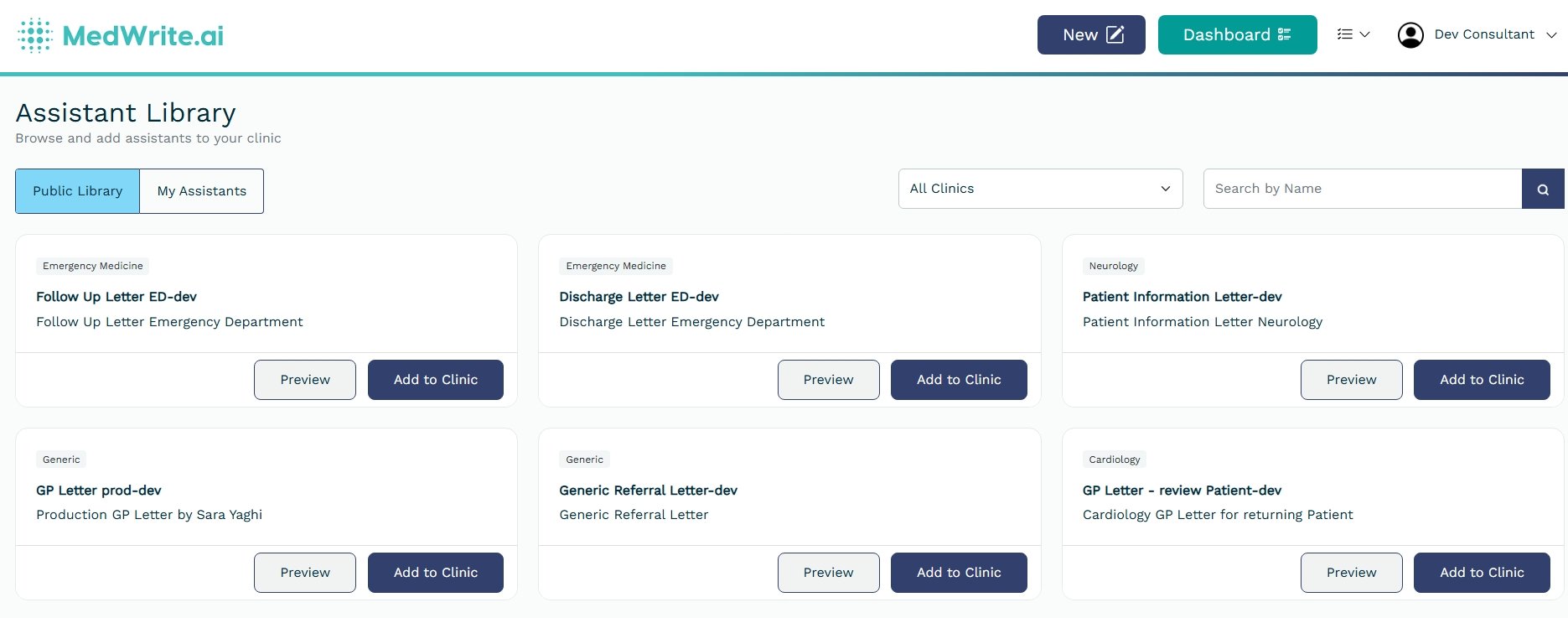
**Assistant Library** gives doctors full control over their clinical AI workflows — browse available templates, activate the ones they need, and manage them without admin help. Hospitals using **MediTech** can now import appointment lists directly into MedWrite. A new **Custom Workflow Steps** feature allows clinics to tailor documentation flows to their specific procedures.
## New Features
Doctors can now manage their own clinical AI workflows from a self-service library. Browse available assistant templates, activate the ones relevant to your specialty, and customise settings — all without waiting for an administrator. Role-based limits keep the system organised as your team scales.
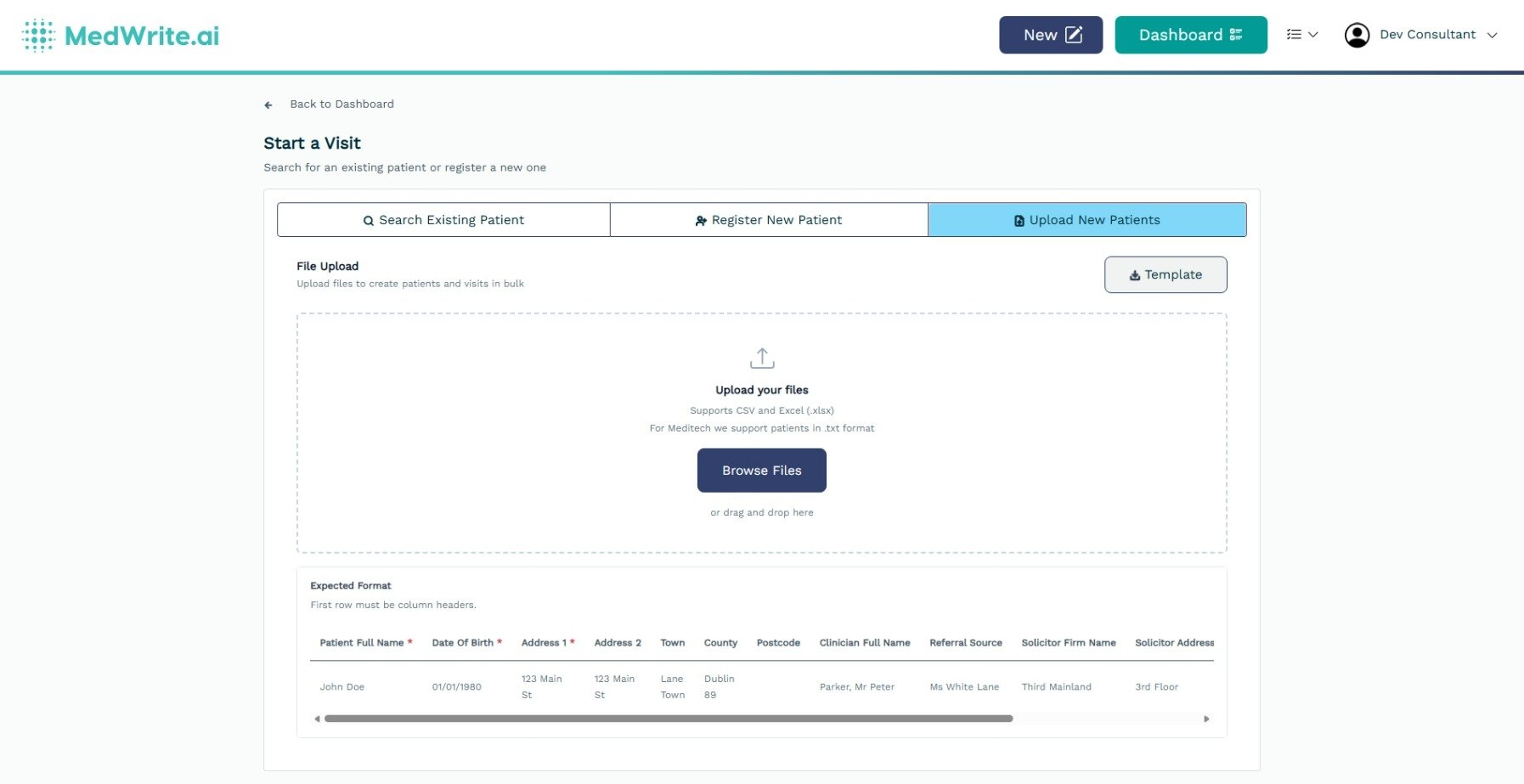
 Hospitals running MediTech can now export patient appointment lists and upload them into MedWrite. Scheduled visits are pre-populated automatically, removing manual data entry during clinic setup.
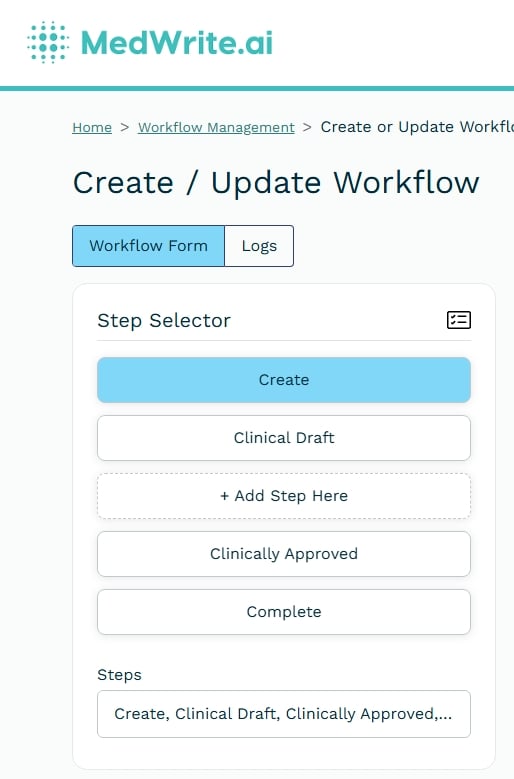
 Add extra steps to your clinical documentation workflows. Tailor the sequence to match how your specialty or department actually works — no more forcing every clinic through the same fixed process.
 ## Improvements and Fixes
Users can now switch between streaming transcription and shorthand mode at the individual level. Choose the recording style that best suits your workflow. The system defaults to your organisation's setting until you select your own preference.
Multiple improvements have been made to recording session stability, including better connection handling, smoother error recovery, and fixes for edge cases that could interrupt active recording sessions.
## Improvements and Fixes
Users can now switch between streaming transcription and shorthand mode at the individual level. Choose the recording style that best suits your workflow. The system defaults to your organisation's setting until you select your own preference.
Multiple improvements have been made to recording session stability, including better connection handling, smoother error recovery, and fixes for edge cases that could interrupt active recording sessions.