> ## Documentation Index
> Fetch the complete documentation index at: https://docs.medwrite.ai/llms.txt
> Use this file to discover all available pages before exploring further.
# #Issue 3 - Mar Changelog
> New features and improvements

## Feature Highlights
**Bulk Operations** let clinic managers create visits for multiple patients at once. A new **Reports Dashboard** gives clinical leaders real-time KPIs on documentation activity. Voice transcription gets three upgrades: **live streaming**, **ambient detection**, and **Arabic-English bilingual** support.
## New Features
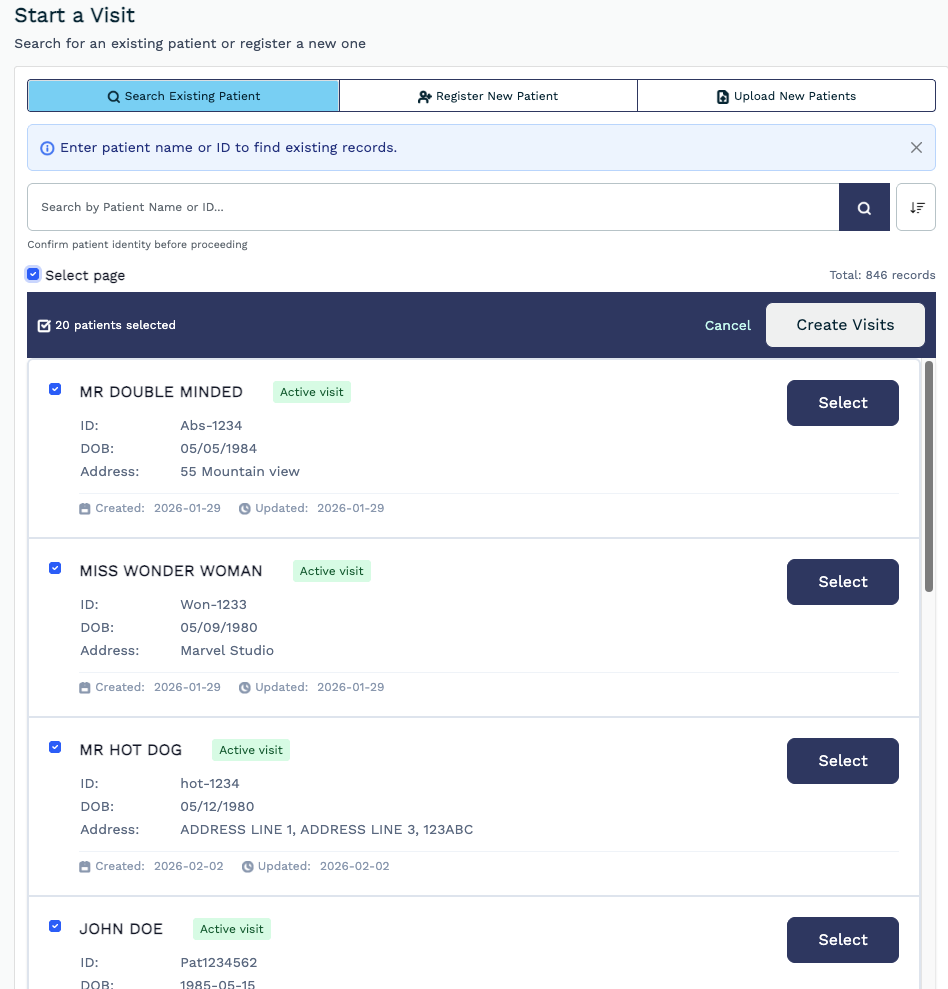
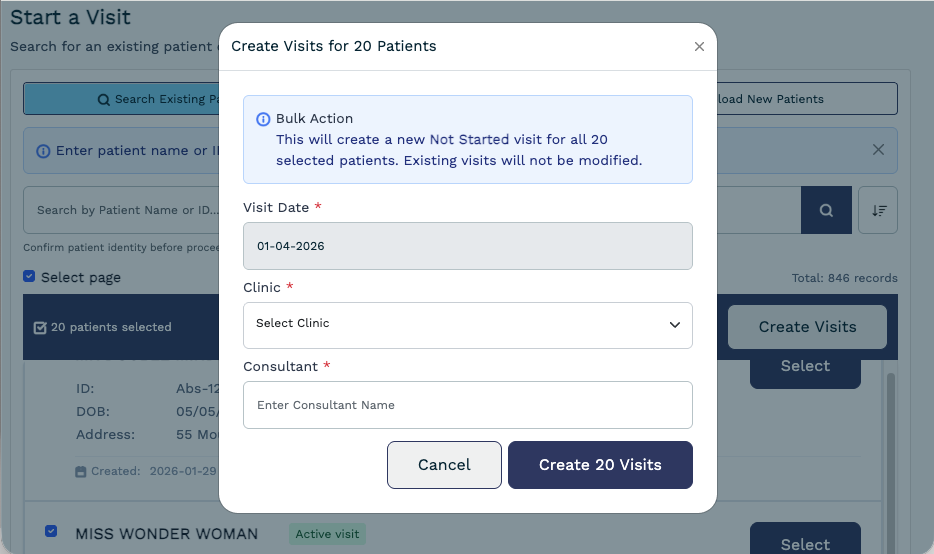
Create visits for multiple patients in a single action. Select patients from your list, assign a visit type, clinic, and consultant, then batch-create. No more one-by-one data entry for clinic setup or end-of-day closures.
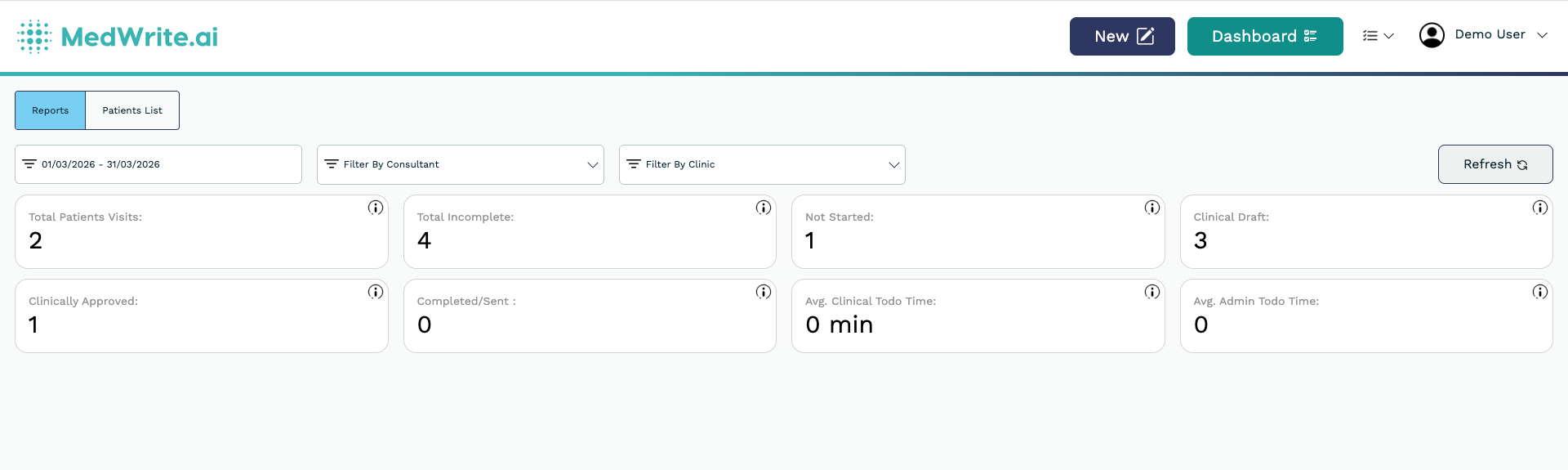
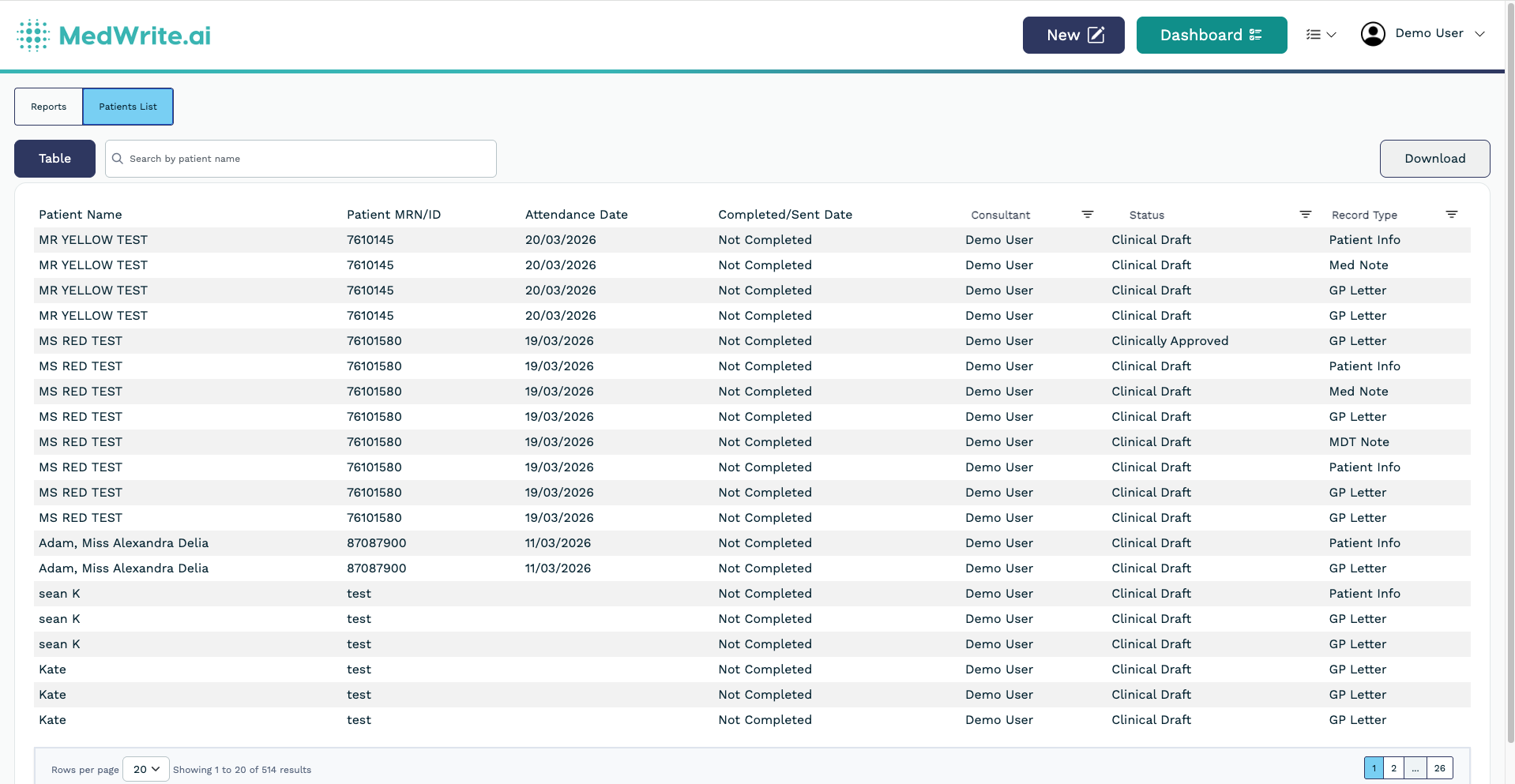
A new tabbed view separating Reports from Patient Management. KPI tiles for patient volume, wait times, admission rates, and discharge metrics - each with a tooltip explaining what it measures. Filter by clinic, consultant, and date range with live updates.
Three capabilities now production-ready:
* **Streaming transcription** - see your clinical notes form in real-time as you speak. No waiting for upload.
* **Voice Activity Detection** - recording starts and stops automatically based on speech. Less tapping, more documenting.
* **Arabic-English bilingual** - code-switching support for clinicians who move between languages during consultations.
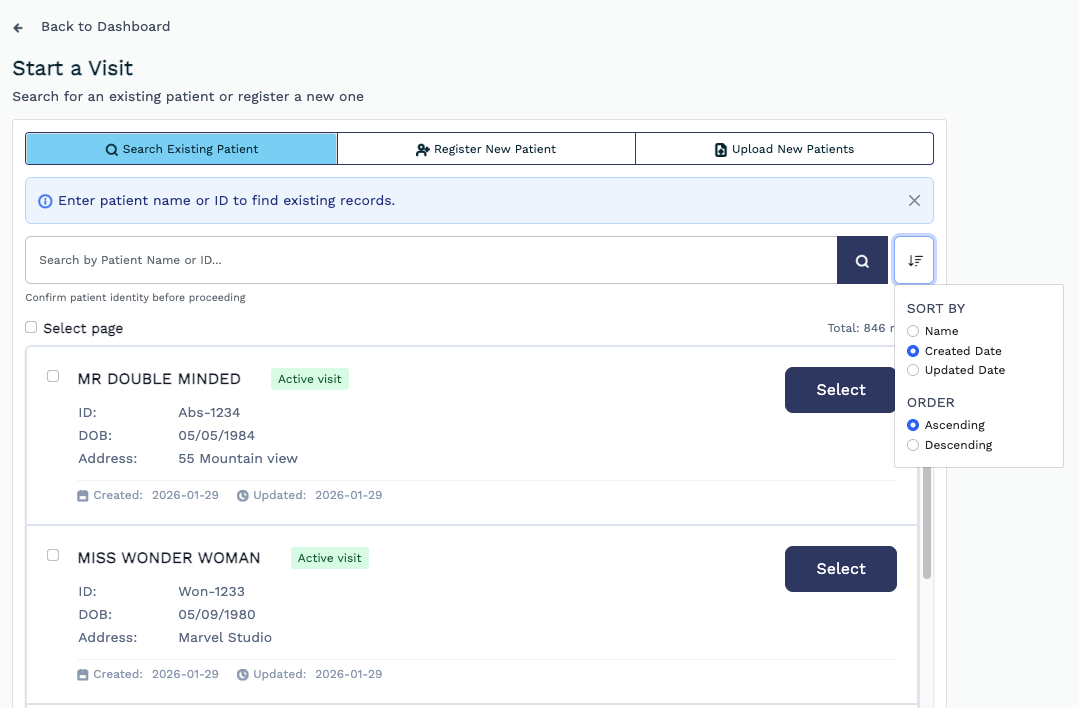
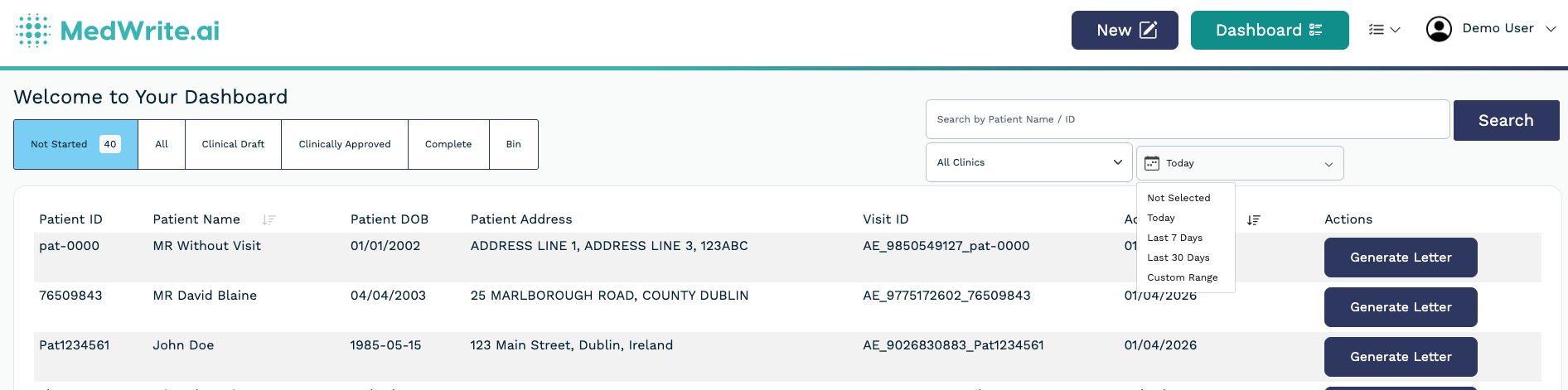
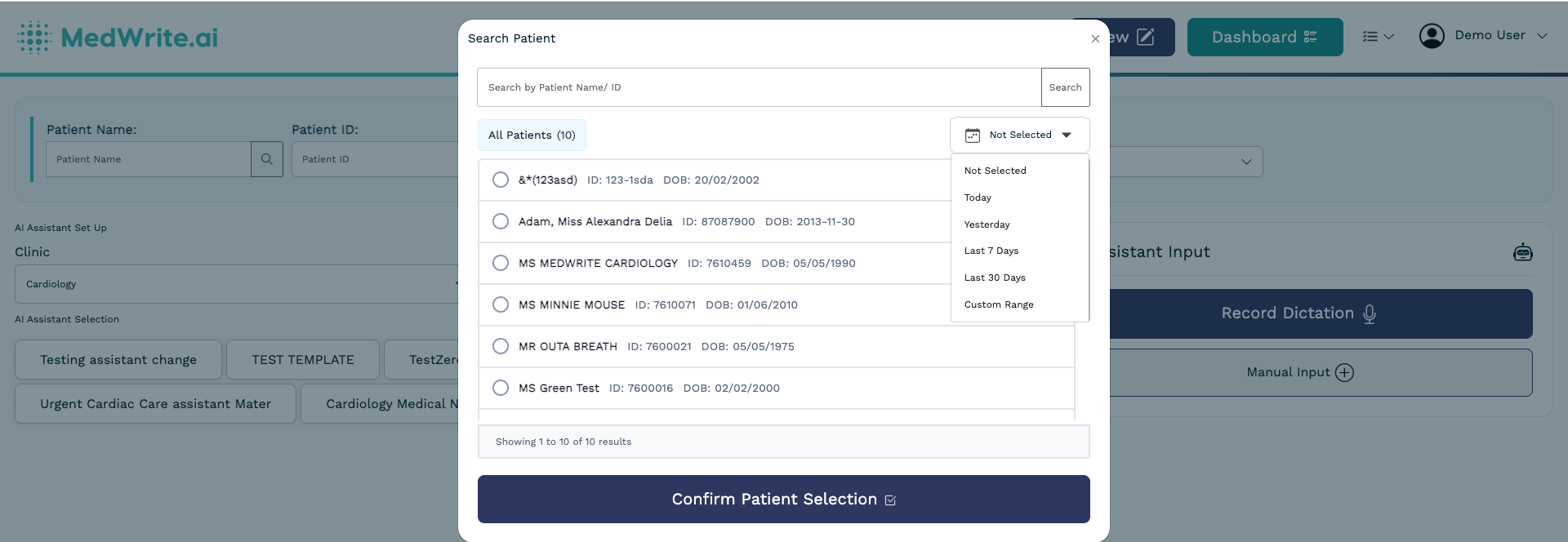
Sort patient lists by name, date created, or admission date. The default lookup now shows all patients (previously filtered to today only). A new date filter on the "Not Started" list helps admins triage pending workflows by day.

## Improvements and Fixes
Custom fields now display correctly on mobile, PDF attachments preview properly, and multi-file uploads work on mobile devices. A new filter indicator also shows which date range is active on each screen.
New rules enforce safe document handling: maximum 5 attachments per record, 5 pages per PDF, and file type validation - with clear error messages when limits are exceeded.
Filter behaviour is now consistent across Not Started, letter-status, and Bin tabs. A dedicated filter functionality on the Not Started tab makes it easier to find pending work.
Duplicate patients are now detected during bulk upload. Insurance records correctly displayed. Patient names refresh properly after bulk operations.
PDF preview now works on mobile. Multi-file uploads succeed even when one file fails validation. DOCX template formatting issues resolved.
Email sending failures now show specific & clearer error messages instead of failing silently.