> ## Documentation Index
> Fetch the complete documentation index at: https://docs.medwrite.ai/llms.txt
> Use this file to discover all available pages before exploring further.

# #Issue 1 - Jan Changelog

> New features and improvements

<Frame>
  ![MedWrite Logo](https://cdn.prod.website-files.com/68b8c521a5b123b7d2b3e55f/68b8c684fd4cd0e8de5a418a_MedWrite%20Logo.png)
</Frame>

## Feature Highlights

This release lands with a major focus on reliability, a new AI safety layer, and meaningful UX improvements across the board.

## 🚀 New Features

<Steps>
  <Step title="Stability & Reliability">
    Significant under-the-hood improvements making MedWrite faster and more resilient - reduced load times, fewer interruptions, and a smoother experience throughout.
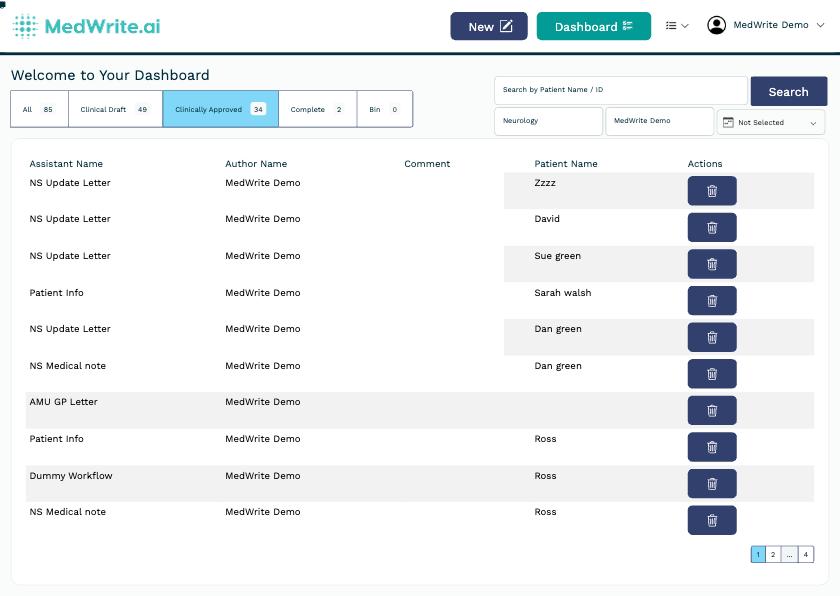
    <Frame caption="MedWrite dashboard — faster and more reliable">
      ![MedWrite dashboard](https://files.catbox.moe/jrne9e.jpg)
    </Frame>
  </Step>

  <Step title="AI Safety Check">
    Every AI-generated letter now displays a clear safety banner reminding clinicians to fully review the content before clinically approving and sending. Patient safety, built in.
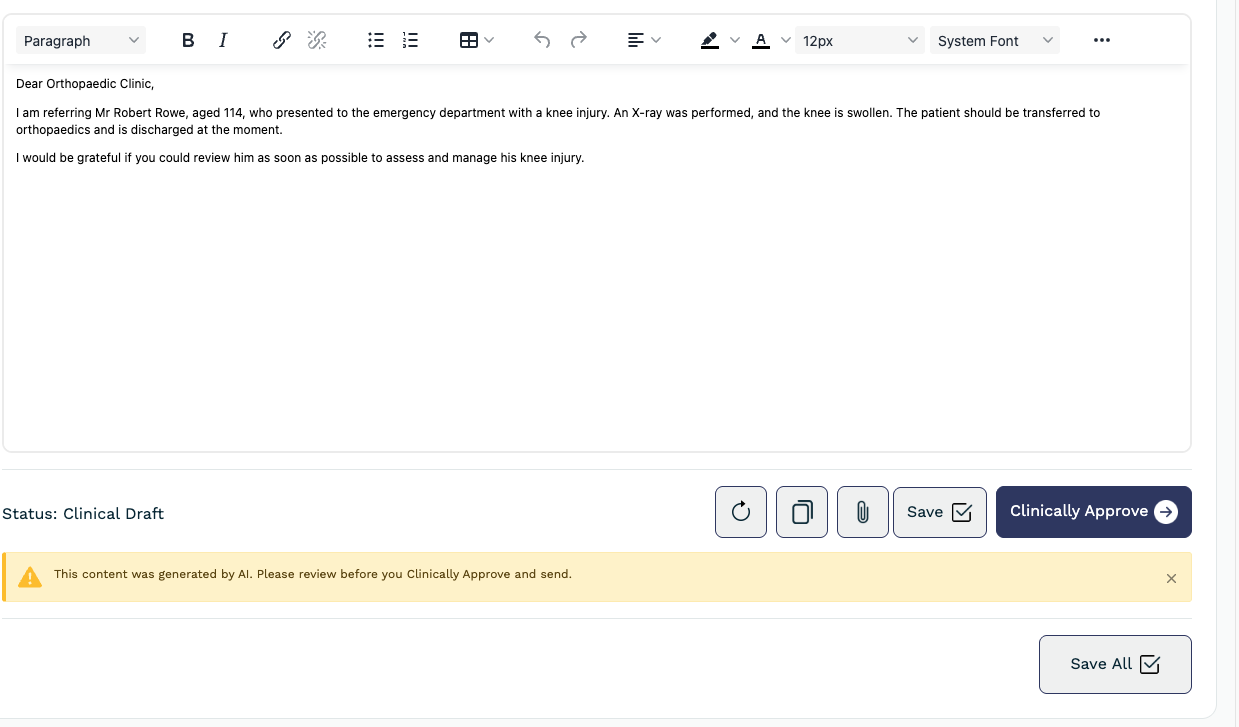
    <Frame caption="AI Safety Check banner on every generated letter">
      ![AI Safety Check reminder banner](https://files.catbox.moe/ylipw7.png)
    </Frame>
  </Step>

  <Step title="Improved Attachments">
    Attach supporting documents directly to any letter - PDFs, referral forms, and clinical files stay linked to the right record.
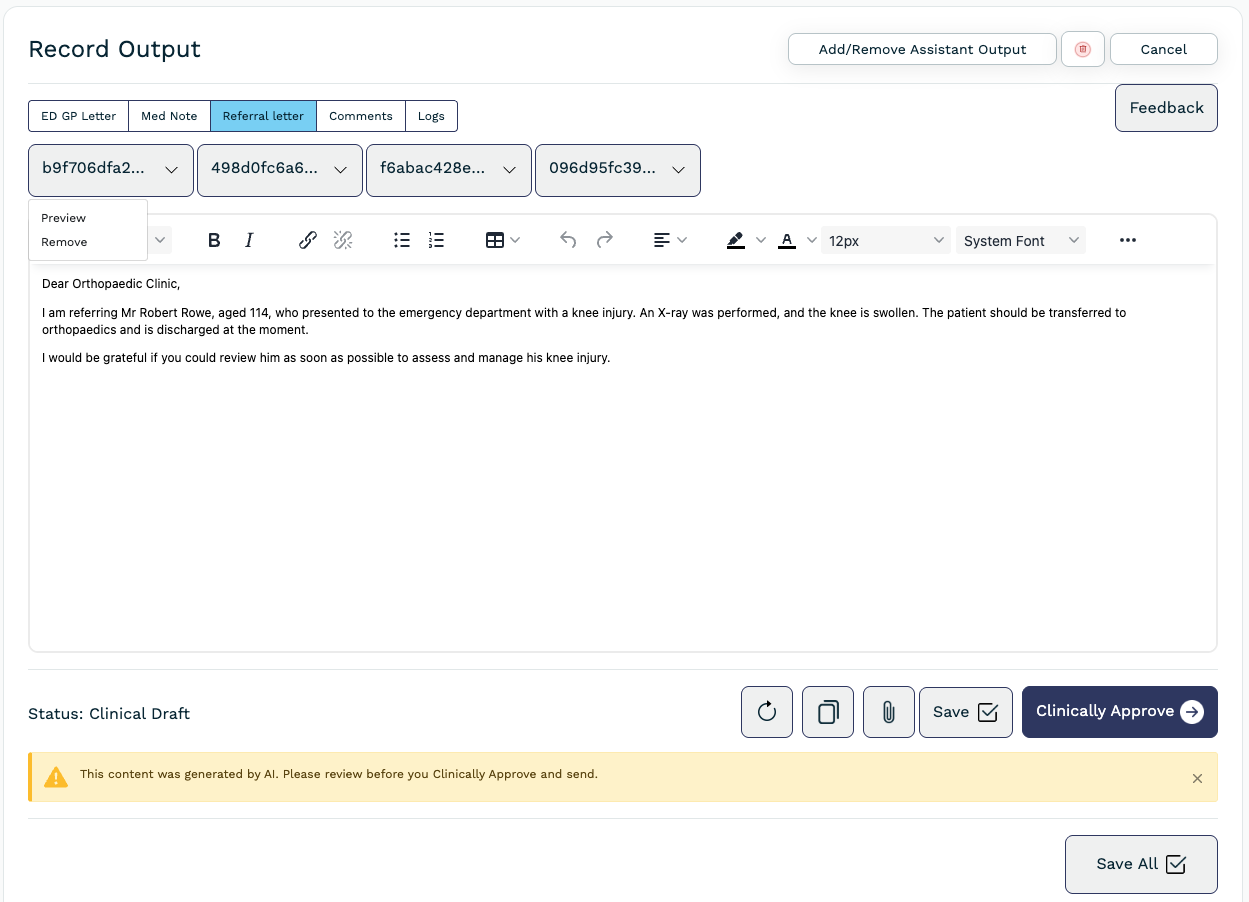
    <Frame caption="Record view with attachment support">
      ![Record view with attachments](https://files.catbox.moe/oher6d.png)
    </Frame>
  </Step>

  <Step title="Improved App Design">
    A refreshed interface with cleaner layouts, better visual hierarchy, and improved navigation.

    <Frame caption="Refreshed app design across the dashboard">
      ![Updated MedWrite dashboard](https://files.catbox.moe/jrne9e.jpg)
    </Frame>
  </Step>

  <Step title="Patient Search">
    Quickly find any patient by name or ID directly from the dashboard — with clinic and consultant filters.
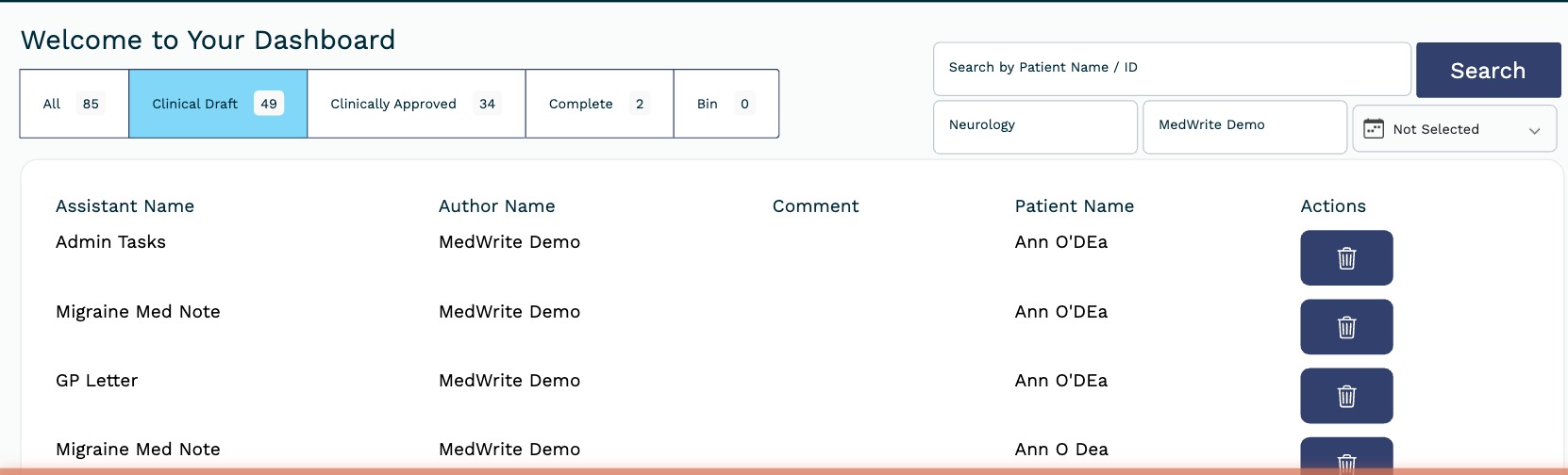
    <Frame caption="Patient search with filters">
      ![Patient search bar with filters](https://files.catbox.moe/7aa9ro.jpg)
    </Frame>
  </Step>
</Steps>
