> ## Documentation Index
> Fetch the complete documentation index at: https://docs.medwrite.ai/llms.txt
> Use this file to discover all available pages before exploring further.
# #Issue 4 - Apr Changelog
> New features and improvements
## Feature Highlights
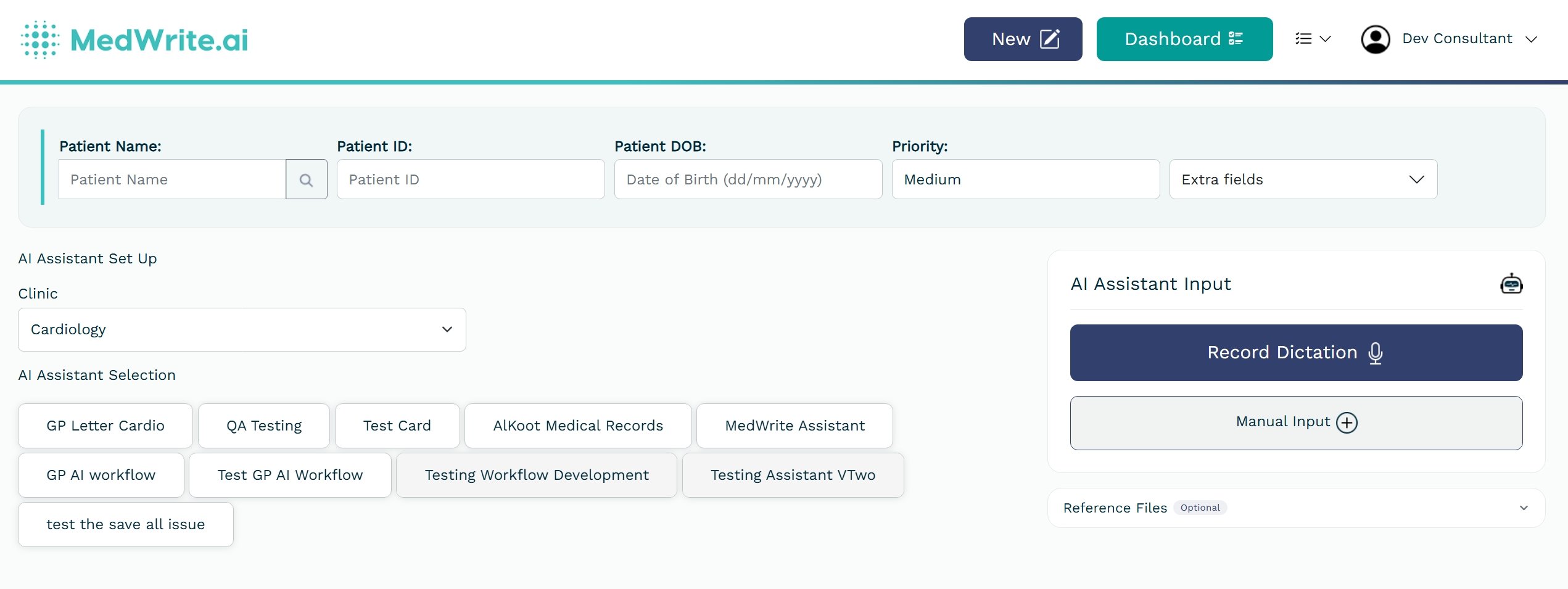
Clinicians can now attach documents directly from the recording screen so the AI generates letters with full patient context. Ambient listening automatically reconnects through network interruptions, and clinic-level BCC settings allow administrators to route discharge emails to shared mailboxes automatically.
## New Features
Attach patient-specific documents — including GP referral letters, external imaging reports, and prior clinical notes — directly from the recording screen. The AI uses these files as additional context when generating clinical letters, producing more accurate and complete documentation.
 If your connection drops briefly during patient note capture, the system automatically reconnects without losing transcription progress. This reduces manual retries and improves reliability during consultations.
.png?fit=max&auto=format&n=VAOJHMQEe-iPt30-&q=85&s=f3f53651bdad422cb6fd248c346e7b82) ## Improvements and Fixes
Administrators can now configure a BCC email address for each clinic. All discharge letter emails sent from that clinic automatically copy the configured address, supporting compliance archiving requirements and shared mailbox workflows.
Dashboard tabs now load data on demand instead of fetching everything at once. Clinics with high patient volumes will experience noticeably faster page loads, particularly when switching between tabs.
The execution time window for AI agents has been extended. Complex clinical forms and longer documents can now generate successfully without timing out, particularly multi-section discharge summaries and detailed referral letters.
## Improvements and Fixes
Administrators can now configure a BCC email address for each clinic. All discharge letter emails sent from that clinic automatically copy the configured address, supporting compliance archiving requirements and shared mailbox workflows.
Dashboard tabs now load data on demand instead of fetching everything at once. Clinics with high patient volumes will experience noticeably faster page loads, particularly when switching between tabs.
The execution time window for AI agents has been extended. Complex clinical forms and longer documents can now generate successfully without timing out, particularly multi-section discharge summaries and detailed referral letters.