> ## Documentation Index
> Fetch the complete documentation index at: https://docs.medwrite.ai/llms.txt
> Use this file to discover all available pages before exploring further.

# Approve Records

> Clinically approve records from the mobile app

You can approve records and letters from the mobile app. Review the content on your device and tap **Clinically approve** when you are happy with it.

<Steps>
  <Step title="Open and review">
    Open a record or letter in the app to review the content. When it is ready, use **Clinically approve** to mark it as approved.
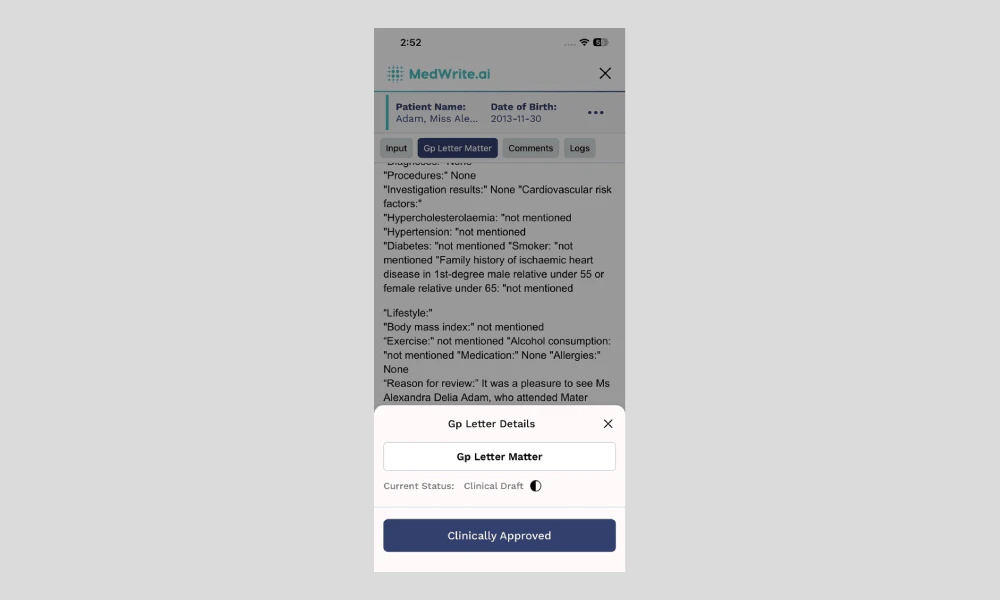
    <Frame hint="Tapping Clinically approve marks the letter as clinically approved. The record then appears in the clinically approved section on the web dashboard." caption="Mobile app letter view with approve option.">
      <img src="https://mintcdn.com/medwriteai/pkwu_NMHKTzVXNda/images/approve-records-mobile/mobileClinicalApproveButton.png?fit=max&auto=format&n=pkwu_NMHKTzVXNda&q=85&s=b9bd845ed06701d31016a4def0b5cd3b" alt="Mobile app letter view with approve option" style={{ borderRadius: '0.5rem', maxWidth: '100%' }} width="1000" height="600" data-path="images/approve-records-mobile/mobileClinicalApproveButton.png" />
    </Frame>
  </Step>

  <Step title="After approval">
    The approved letter is available for export or email from the dashboard. You can also export from the app if that option is available.
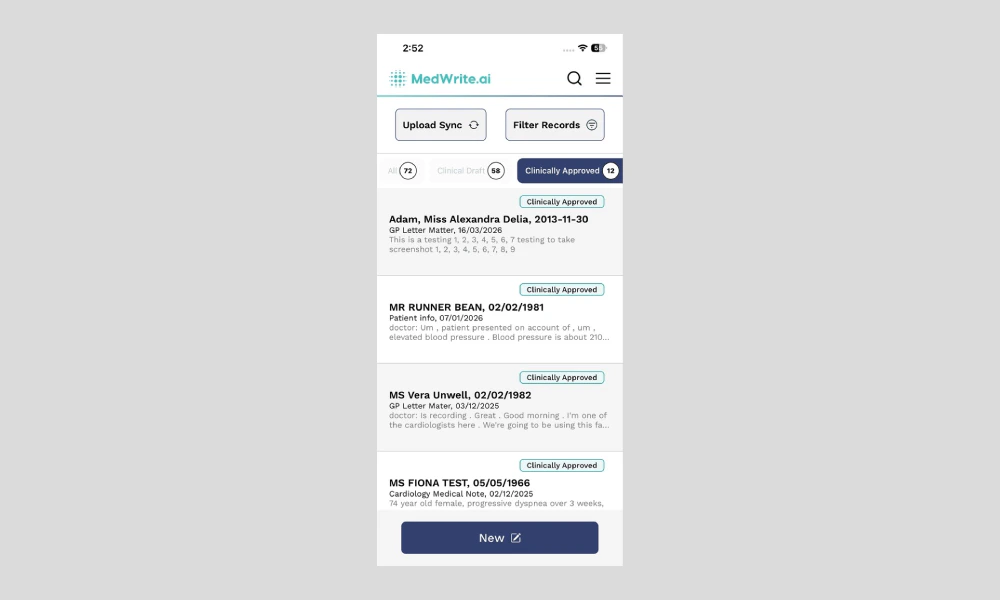
    <Frame hint="The approved letter appears in the clinically approved section on the web dashboard." caption="Approved confirmation or export option.">
      <img src="https://mintcdn.com/medwriteai/pkwu_NMHKTzVXNda/images/approve-records-mobile/mobileClinicalApproveDashboard.png?fit=max&auto=format&n=pkwu_NMHKTzVXNda&q=85&s=c3489fe7c13d9d61e95921f80c5b72d2" alt="Approved confirmation or export option" style={{ borderRadius: '0.5rem', maxWidth: '100%' }} width="1000" height="600" data-path="images/approve-records-mobile/mobileClinicalApproveDashboard.png" />
    </Frame>
  </Step>
</Steps>

## Next steps

<Columns cols={2}>
  <Card title="Review Records" icon="clipboard-list-check" href="/essentials/review-records">
    Review records and letters on the mobile app.
  </Card>

  <Card title="Search Records" icon="magnifying-glass" href="/essentials/search-records">
    Search for records or letters on the mobile app.
  </Card>
</Columns>
