> ## Documentation Index
> Fetch the complete documentation index at: https://docs.medwrite.ai/llms.txt
> Use this file to discover all available pages before exploring further.

# Activate Your Account

> Activate your MedWrite account after registration

After you register, you need to activate your account before you can log in. Use the link sent to your email to activate.

<Steps>
  <Step title="Check your email">
    Check the inbox for the email address you used to register. You will receive a message from MedWrite with an activation link.
  </Step>

  <Step title="Complete activation">
    Once you open the link, your account is activated. You can then log in to the dashboard or the mobile app.
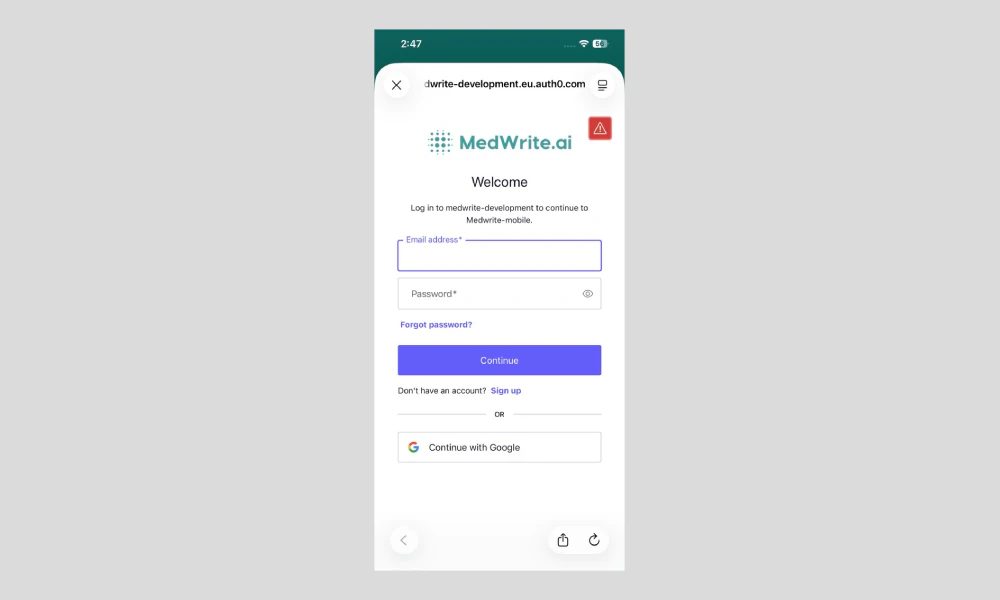
    <Frame hint="You may see a success message and a button to go to login. If you did not receive the email, check spam or request a new activation link from the login page." caption="Activation success or login screen.">
      <img src="https://mintcdn.com/medwriteai/pkwu_NMHKTzVXNda/images/activate-account-mobile/mobileLogin.png?fit=max&auto=format&n=pkwu_NMHKTzVXNda&q=85&s=543bcbd1ad40e2be7e88d87aefc5b51e" alt="Activation success or login screen" style={{ borderRadius: '0.5rem', maxWidth: '100%' }} width="1000" height="600" data-path="images/activate-account-mobile/mobileLogin.png" />
    </Frame>
  </Step>
</Steps>

## Next steps

<Columns cols={2}>
  <Card title="Login" icon="right-to-bracket" href="/login">
    Sign in to your MedWrite account.
  </Card>

  <Card title="Download the App" icon="download" href="/essentials/download-app">
    Get the MedWrite mobile app.
  </Card>
</Columns>
