> ## Documentation Index
> Fetch the complete documentation index at: https://docs.medwrite.ai/llms.txt
> Use this file to discover all available pages before exploring further.

# Date Filter

> Filter records or letters by date range

Use the date filter to show only records or letters within a certain period. This helps when you need to find something from a specific day or week.

<Steps>
  <Step title="Where to set the date">
    The date filter is usually near the top of the dashboard or list. You can pick a date range (from and to) or use presets such as today, this week, or this month.
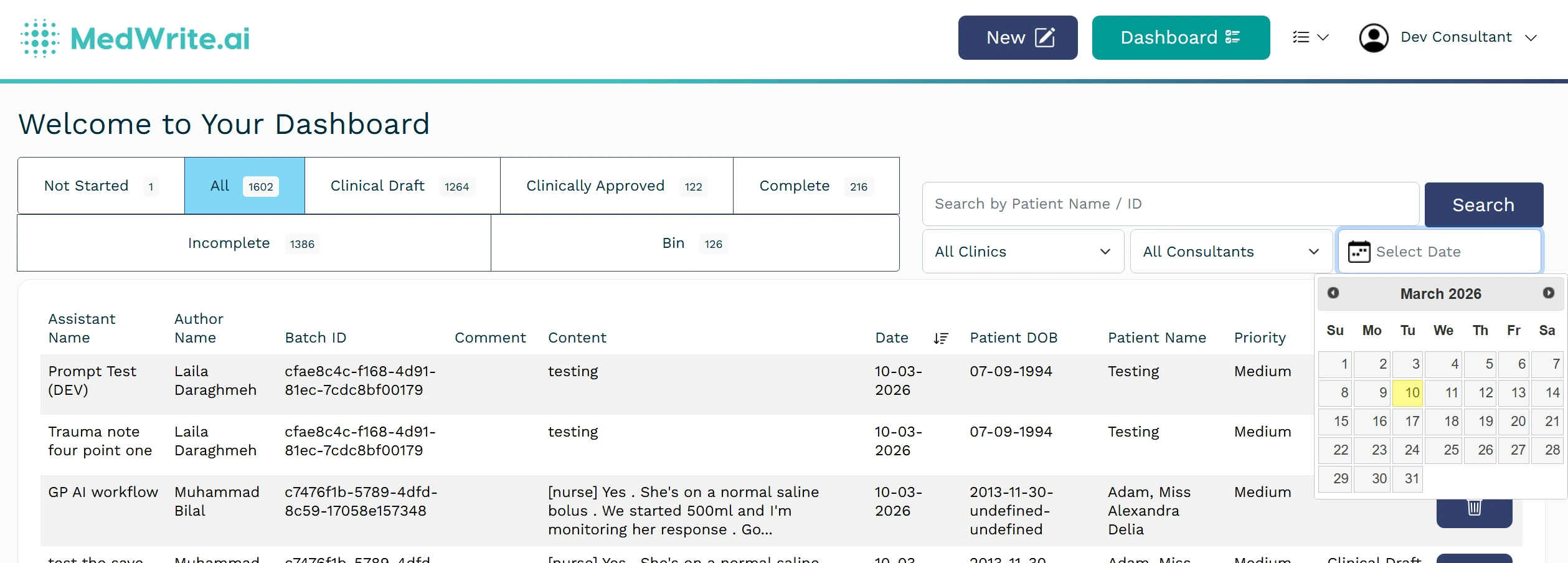
    <Frame hint="Choose from and to dates, or use a preset (e.g. This week). The filter applies to the current list or dashboard view." caption="Date filter or date range picker.">
      <img src="https://mintcdn.com/medwriteai/R5Bs1ncwatpjoUpI/images/date-filter/dateFilter.jpeg?fit=max&auto=format&n=R5Bs1ncwatpjoUpI&q=85&s=24efaf3b2ea4fea5da413544b40e86e9" alt="Date filter or date range picker" style={{ borderRadius: '0.5rem', maxWidth: '100%' }} width="2518" height="904" data-path="images/date-filter/dateFilter.jpeg" />
    </Frame>
  </Step>

  <Step title="After filtering">
    The list shows only items within the selected range. Clear or change the date to see a different period.
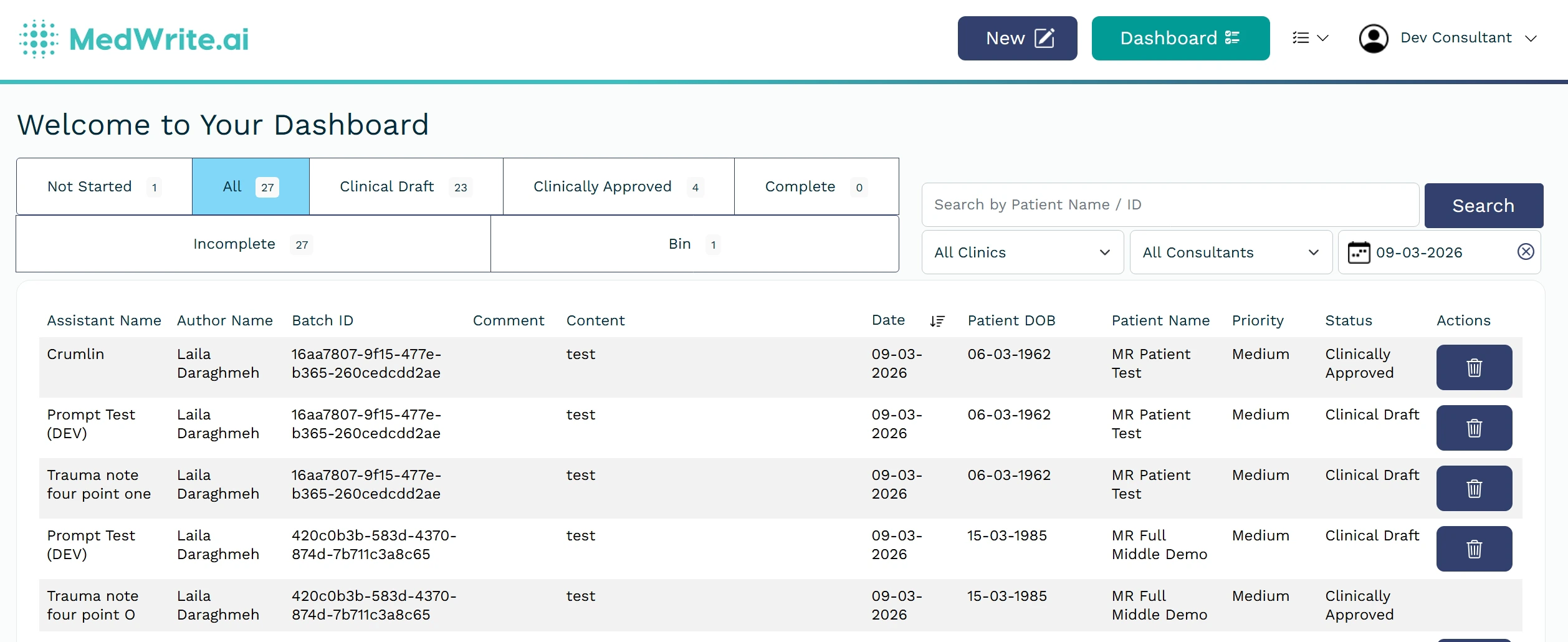
    <Frame hint="Clear the filter to see all dates again." caption="List filtered by date.">
      <img src="https://mintcdn.com/medwriteai/R5Bs1ncwatpjoUpI/images/date-filter/dateResult.jpeg?fit=max&auto=format&n=R5Bs1ncwatpjoUpI&q=85&s=7f69eabfb846742ec0d43950815617a5" alt="List filtered by date" style={{ borderRadius: '0.5rem', maxWidth: '100%' }} width="2516" height="1030" data-path="images/date-filter/dateResult.jpeg" />
    </Frame>
  </Step>
</Steps>

## Next steps

<Columns cols={2}>
  <Card title="Workflow Status Tabs" icon="layer-group" href="/workflow-status-tabs">
    Switch between workflow statuses.
  </Card>

  <Card title="Clinic / Consultant Filters" icon="bars-filter" href="/clinic-consultant-filters">
    Filter by clinic or consultant.
  </Card>
</Columns>
